What is an AI agent?
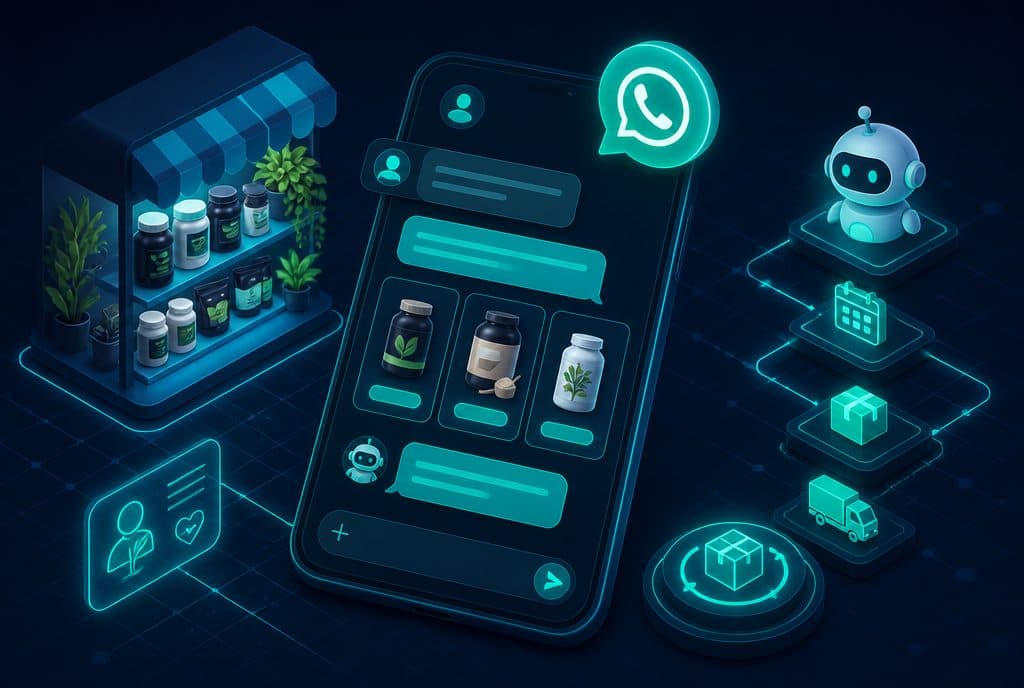
Updated: August 2026. An AI agent is a system that carries out processes inside an organization — it makes decisions, reads from and writes to existing systems through APIs, and operates in channels such as WhatsApp and telephony. Automaziot AI has built 347 systems and 210 integrations to existing systems, across 54 portfolio projects (37 of them fully completed) (measured 11/08/2026). The difference from a chatbot is not a marketing nuance: a chatbot answers, an AI agent acts inside the system itself. This definition holds regardless of the form the agent takes — an agent running a WhatsApp conversation, an agent answering the phone, and an agent running an internal process with no human interface at all are all the same category, as long as they read from and write to a real system rather than merely "converse".
AI agent — definition
An AI agent is language-model-based software that carries out processes inside the organization on its own: it reads and writes data to the existing systems — CRM, ERP, telephony, WhatsApp Business API — makes decisions inside boundaries defined for it, and performs a real action (updating a record, sending a message, creating an order), rather than only answering a question. This is the operational definition we build to in AI agents for organizations — not a "smart chatbot", but a component genuinely connected to the systems the organization already runs.
The definition is not ours. OpenAI's practical guide to building agents defines an agent through three components — model, tools and instructions. Anthropic distinguishes workflows from agents: a workflow runs a predetermined path, while an agent gives the model more dynamic control over choosing the next step. Not every use of a language model is an "agent" — a one-off summary, text classification, or a chat window that performs no system action are not agentic systems, even when they run on exactly the same model.
Four capabilities every AI agent needs
- Language understanding — reads and understands Hebrew and English in free form, including non-standard phrasing and industry terminology.
- System access — actually connects to a CRM, ERP, calendar, WhatsApp Business API or internal knowledge base — not just "knows about them".
- Decision making — chooses the next step based on context and defined rules, not a single fixed script.
- Controlled action — writes a record, sends a message, creates a task — and stops or hands off to a person when it is unsure or when the action falls outside the boundaries set for it.
All four capabilities are required together. A system that understands language but accesses no system is a chatbot. A system that accesses systems but only follows a fixed script is ordinary automation, not an agent.
The field keeps developing, and new forms of AI agents will keep appearing — agents that negotiate with suppliers, agents that coordinate several systems at once, agents triggered from a document or an email with no conversation at all. The definition above stays true for each of them: what makes software an "AI agent" is that it reads from and writes to a real system and makes a decision inside it — not the channel or the specific form in which it is presented to a user.
AI agent vs. chatbot — the difference table
| Aspect | Rule-based chatbot | AI agent |
|---|---|---|
| Path of action | Fixed script or predefined menu | The model chooses the next step inside defined boundaries |
| System connection | Usually disconnected, or limited to Q&A | Reads and writes in real time to CRM/ERP/telephony/WhatsApp Business API |
| Language understanding | Keywords or menu buttons | Natural language, including free phrasing and exceptions |
| Actual outcome | A text answer or a handoff to an agent | An action that really happens: record updated, order created, meeting scheduled |
| Handling an exception | Gets stuck, or hands off immediately | Continues, stops or hands off to a person — per rules and stop conditions defined in advance |
At Automaziot AI this difference is not theoretical: across the 54 portfolio projects (37 of them fully completed), 347 systems were built and 210 existing systems were connected, because the job of an AI agent is to act inside the organization's existing systems — not merely to answer questions about them. It is also the simple test for spotting a "smart chatbot" dressed up as an agent: if the system only replies with convincing text but no record is updated anywhere, it is still a chatbot — no matter how natural its language. Full expansion, including a feature table and risk comparison: AI agents vs. regular chatbots.
What is an autonomous AI agent?
An autonomous AI agent is an agent given a wider decision range inside the boundaries the organization defined for it — not just performing a single step. In practice, every implementation can be placed on one of three levels:
- Answer — the agent reads a request, retrieves information from an authorized system and returns an accurate answer, without performing an action in the system.
- Execution — the agent performs an action already approved in advance: updates the CRM, sends a WhatsApp message, opens a task in an existing system.
- Initiative — the agent identifies by itself that action is needed (for example, a customer who has not replied for 24 hours) and opens a process, inside guardrails and approval boundaries set in advance.
These levels do not depend on the channel: a voice agent in telephony, a written agent on WhatsApp and an agent running internally against an ERP with no human interface at all can sit at exactly the same autonomy level — the external form does not set the decision scope, the boundaries defined for it do. They are also not fixed for a whole process: an organization can give the same agent "execution" level in a routine service process while keeping it at "answer" level only in a process that touches money or a contractual commitment — two different autonomy levels under one governance policy.
In most enterprise implementations the right level is not "full autonomy" but a graduated mix: routine actions run automatically, and risky actions — financial, legal, irreversible — go to human approval before execution. Choosing the right autonomy level for a specific process, rather than the highest level technically possible, is usually the difference between an implementation that works and one that stalls in testing: an agent that starts at "execution" level with a narrow scope, proves itself on a real process, and only then receives a wider scope, reaches go-live with fewer corrections than an agent designed from the start to "do everything". More on autonomous agents and Agentic AI: Agentic AI — how autonomous AI agents multiply output, autonomous AI agents for business — the complete guide, what is Agentic AI.
What does an AI agent actually do inside an organization?
AI agents run today in Israeli organizations in concrete forms, not as demos — and the form an agent takes changes with the channel and the process, not with a technical limitation. Three examples from the Automaziot AI portfolio, without client names (measured 11/08/2026):
- A voice ordering agent in a manufacturer's telephony — answers inbound calls in Hebrew through speech recognition (Google Cloud Speech-to-Text) and GPT-4, captures the order details and updates the delivery management system and the drivers' tablets.
- A WhatsApp agent connected to Hashavshevet and to payment terminals — runs the ordering process inside a WhatsApp conversation, connected to the Hashavshevet accounting system and to the payment terminals, with scheduled overnight runs against those systems.
- Collections and procurement automation on Priority ERP — reads from and writes to Priority ERP and its payments module (Priority Payments), with connections to email (Gmail/Outlook) and an SMS channel for the collections and procurement processes.
These three are examples out of the overall Automaziot AI portfolio: 347 systems built and 210 existing systems connected across 54 projects (37 of them fully completed) — including the three projects the examples above are taken from. Expanded examples: an AI agent for business — what it actually does and case studies. On the channels themselves: WhatsApp agent and AI voice agent.
AI agent vs. ordinary automation (and vs. RPA)
Ordinary automation (a deterministic workflow) runs a predetermined sequence of steps — a given condition always triggers the same action. RPA (Robotic Process Automation) mimics human actions on an interface — clicks, copies, pastes — following a fixed script, without understanding the content. An AI agent differs on one decisive point: it chooses the next step based on context, rather than only running a predetermined script.
| Attribute | Deterministic workflow | RPA | AI agent |
|---|---|---|---|
| Source of the decision | Hard rules defined in advance | Imitation of human actions on an existing interface | A model choosing a step from context and tools |
| Suitable input | Structured data | An existing, stable user interface | Free text, documents, unexpected requests |
| Behaviour on an exception | Fails or stops | Breaks when the interface changes | Detects the exception and hands off to a person or asks for clarification |
When a process rests on stable rules only, ordinary automation is preferable: cheaper, more predictable, and simpler to test and audit. When there is free language, exceptions, or a need for a decision inside the process — an AI agent adds real value. The three tools do not necessarily compete: many enterprise projects combine them — RPA for legacy data entry, a workflow for a stable process, and an AI agent for the decision layer that requires understanding context. A concrete example: a procurement process in which extracting fields from a fixed-format invoice runs as a simple workflow, matching to a legacy system with no API runs in RPA, and the decision whether the invoice matches the original order and requires exception approval is made by an AI agent that understands the context. The key question when choosing the right tool is not "which is more advanced", but "how many of the steps in this process require understanding content, rather than only performing an action".
Full expansion on the difference between RPA and AI agents: RPA vs. AI agents. On deterministic process automation: business automation.
What infrastructure does implementing an AI agent require?
An AI agent does not start from zero — it connects to the systems already running in the organization. The minimum infrastructure for an implementation includes three components:
Access to existing systems through APIs. CRM, ERP, telephony, WhatsApp Business API — every system the agent needs to read from or write to requires a defined API connection, with permissions set in advance rather than blanket "admin access".
An authorized information source for context retrieval. The agent retrieves information at runtime from a source the organization designated (retrieval), instead of relying on the model's general "memory". That is the difference between an accurate answer based on current policy and a plausible-sounding guess.
Governance mechanisms. Least-privilege permissions for every action, stop conditions defined in advance for every exception, and logs of every action the agent performed — so it can be checked, audited and corrected.
An organization with an existing ERP, several teams and different permission sets starts with one process that can be measured and audited — not with a full rollout on day one. Before starting an implementation it helps to have:
- One process with a clear input, output and owner inside the organization.
- A list of the systems the process touches, including who is responsible for permissions on each one.
- Real examples of input and output from the existing process — not a general description.
- A definition of what the agent must not do without human approval.
Full architecture detail — layers, tools, guardrails and observability: AI agents for business: definition, architecture and controlled implementation. On fitting organizations with multiple systems and teams: automation and AI for organizations.
Common mistakes in identifying an AI agent
"Every chatbot with GPT is an AI agent." Not true. If the system only runs a conversation and does not access any real system to perform an action, it is a model-based chatbot — not an agent, however natural its language.
"An AI agent has to be fully autonomous." Not true. Most successful enterprise implementations keep high-risk actions under human approval. Autonomy is a spectrum (see above), not a threshold condition.
"AI agents are only for WhatsApp, or only for voice." Not true. The external form (text, voice, an internal interface with no human channel at all) is a design choice, not a definition. The same agent can operate across several channels at once, as long as the decisions and the system access are identical.
"If it works in a demo, it is production-ready." Not true. A demo tests one clean scenario. Production requires testing exceptions, free language, API failures and real permissions — before an agent touches real customer data.
What an AI agent does not do — honestly
An accurate definition includes its boundaries, not only its capabilities:
- An AI agent does not replace human accountability. Someone in the organization remains the owner of the process, even when day-to-day execution is automatic — not only at the "approval" level, but at the level of who is responsible when something goes wrong.
- An AI agent does not "know" the organization from the moment it is switched on. It needs an authorized information source, documented procedures and real examples of the process — without those it guesses confidently rather than answering correctly.
- An AI agent does not connect to systems "by itself". Every connection to a CRM, ERP or telephony platform requires integration work, explicitly granted permissions and testing — not automatic activation of existing access.
- An AI agent does not remove the need for ongoing review. Models improve, processes change, and even an agent that worked well at launch requires monitoring of results and adjustments over time — not one-off activation and forgetting.
These boundaries are not a weakness of the technology — they are part of the definition of "an agent that works properly". An agent that ignores them and operates without clear limits is an operational risk, not a competitive advantage.
Related terms worth knowing
- API — the interface through which an AI agent reads from and writes to existing systems; without it the agent can "talk" but not "act".
- CRM — usually the central system a sales or service agent reads from and writes to.
- RPA — the neighbouring approach that mimics human actions on an existing interface, following a fixed script rather than an understanding of context.
- WhatsApp Business API — the most common channel in Israel for customer-facing AI agents.
Frequently asked questions
What is an AI agent, in plain language?
An AI agent is software that carries out a process inside the organization by itself: it reads from and writes to existing systems such as a CRM, an ERP or the WhatsApp Business API, decides what to do inside boundaries defined for it, and performs the action — rather than only answering a question the way a chatbot does.
What is the difference between an AI agent and a chatbot?
A rule-based chatbot follows a fixed script and answers questions. An AI agent understands context, accesses the organization's systems and performs a real action — updating a record, creating an order, scheduling a meeting — instead of only replying in chat. Expansion: AI agents vs. regular chatbots.
What is an autonomous AI agent?
An agent given a wider decision range inside predefined boundaries: it does not only answer or perform a single step, it can also identify that action is needed and initiate a process itself — under guardrails, stop conditions and human-handoff rules set in advance. In most organizations this is not a choice between "autonomous" and "not autonomous", but a question of how much of the process runs on its own and how much goes to approval.
Does an AI agent work in Hebrew?
Yes — AI agents run today in full Hebrew, in writing (WhatsApp, email) and in voice (telephony), and connect to the systems Israeli organizations actually run — Hashavshevet, Rivhit, Priority and Zoho among others.
How much does an AI agent cost for a business?
For a small or mid-sized business, a WhatsApp AI agent starts from ILS 10,200 to set up (business number, server and agent control room included), an agent with a management system from ILS 18,200 and a multi-agent system from ILS 25,350; enterprise multi-department systems run ILS 120,000–400,000. One-time setup, ex-VAT, no monthly fee; third-party costs (models, telephony, messaging) pass through separately at cost. Full detail: the pricing page.
How do you start?
Pick one process with a clear input, output and owner, map the systems that need to be connected, and run a short characterization that produces a defined scope and timeline before any building begins. The first step is almost always managerial rather than technical: deciding on the process and its owner, before touching code or a system. A step-by-step guide to building a first agent: how to build an AI agent. Talk to us about an AI agent for your organization.
Summary
An AI agent is a system that carries out a process inside the organization — not a chatbot, and not a promise of full autonomy. The real difference is a genuine connection to existing systems, defined boundaries and permissions, and a clear handoff to a person when needed — regardless of the form the agent takes: written, voice, or entirely internal, and regardless of how much of the process runs autonomously. At Automaziot AI this is the definition behind 347 systems and 210 integrations across 54 projects (37 of them fully completed) — the definition is tested against a real system that gets updated, not against a convincing conversation.
Want to map a first process for an AI agent in your organization? Talk to us about AI agents and we will examine the process, the systems and the boundaries together before any building starts.