An importer managing dozens of retailers knows this scenario by heart: twenty WhatsApp messages waiting with "What's the stock on X?", "When is the shipment arriving?", "Send me an updated price list." Even before the first phone call of the morning rings, the team is already bogged down in repetitive, low-value tasks—while one or two orders "fall between the cracks" because no one had time to approve them.
Automation and AI bots for wholesalers and importers are built to solve exactly this: receiving B2B orders from retailers, updating catalogs and price lists, checking stock, and supporting distributors—via WhatsApp, email, or a portal—without the team having to touch every routine inquiry.
How Automation Helps Importers and Wholesalers
Automation connects your communication channels (WhatsApp, email, forms) to your back-end processes: identifying retailers by phone number, checking stock in real-time, confirming orders, and logging them in the CRM—without manual intervention for every order. The team focuses on exceptions and decisions, not repetitive data entry.
What the Israeli Market Looks Like Without Automation
A typical Israeli wholesaler or importer works with dozens to hundreds of retailers. Every retailer has their own habits: some order via WhatsApp, some send Excel sheets, others call. The importer's team consolidates all of this manually—copying orders, checking stock, sending confirmations, and updating the management system. During holidays, supplier price hikes, or shipping delays, the volume of inquiries doubles.
The problem isn't a lack of employees—it's that the processes are not built to scale. Automation doesn't replace tough decisions; it strips away the repetitive layer that slows the team down.
Automation Capabilities for Wholesalers and Importers
| Process | What Automation Does | What is Left for Humans |
|---|---|---|
| Order Intake | Identifies the retailer, verifies stock, confirms the order, and logs it in the CRM | Exceptions: One-time discounts, new customers |
| Inventory Inquiries | Checks stock in real-time and responds within seconds | Out-of-stock products with unclear delivery estimates |
| Price List Updates | Automatically sends a PDF price list / updated link to each retailer | Approving special pricing for key accounts |
| Reorder Reminders | Sends reminders precisely based on each retailer's known order cycle | Retailers whose ordering patterns have changed |
| Distributor Support | Answers FAQs (minimum order quantity, delivery times, payment terms) | Negotiations, complex complaints, disputed invoices |
| Delay Updates | Proactively sends update notifications to all relevant retailers | Coordinating with overseas suppliers, customer compensation |
Real-World Scenarios
Receiving Orders on WhatsApp — 24/7
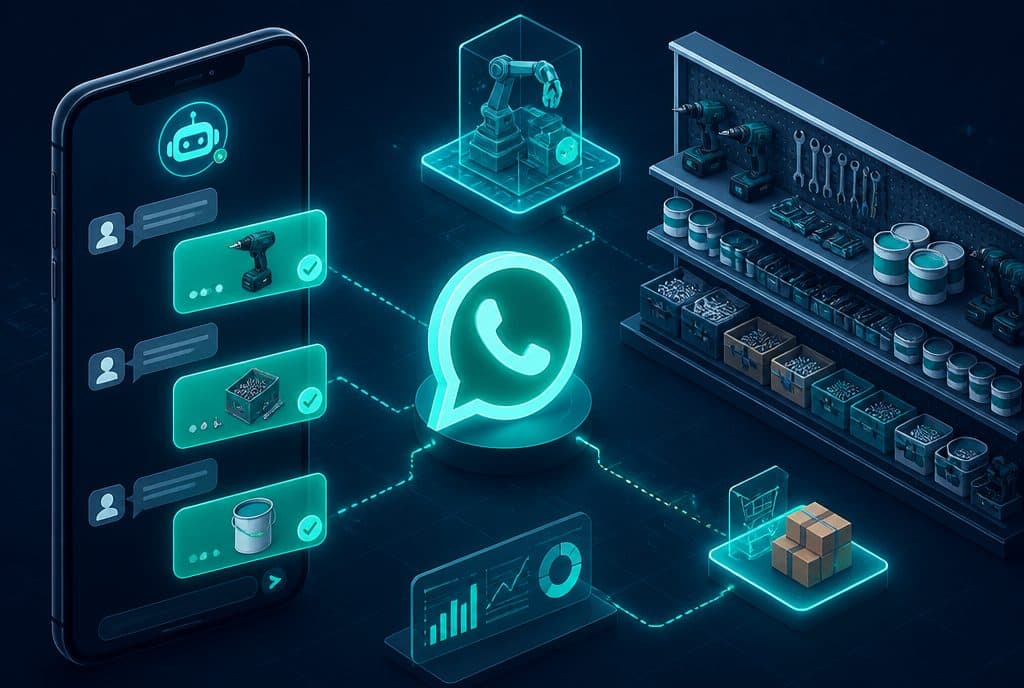
A retailer sends a message: "I want 50 units of Model A and 30 of Model B." The bot identifies the retailer by their phone number (allowing it to know their payment terms and history), checks stock in real-time, and sends back a confirmation with the total, order number, and estimated delivery date—all within a minute, even on a Friday night. The order goes directly into the CRM and management system without manual typing.
Sending Updated Price Lists After Supplier Price Changes
An overseas supplier raises prices. Previously: an employee updates a sheet, prints a PDF, and manually sends it to dozens of retailers on WhatsApp—a process taking hours. With automation: you update the data in one source, and the system automatically sends the updated price list to all relevant retailers with a personalized message ("Updated price list for the beginning of the month")—complete with a log of who opened it and who didn't.
Reorder Reminders for Retailers Who Haven't Ordered
A retailer who usually orders every two weeks hasn't ordered in three weeks. The automation detects this deviation from the normal pattern and proactively sends a message: "Hi, it's been three weeks since your last order—let us know if there's anything we can help with." This type of communication strengthens relationships and reduces churn—without the team having to track every customer manually.
Distributor Support: FAQs Without Waiting for a Representative
A distributor asks, "What is the minimum order quantity for Category X?" or "What is the return policy?". Instead of waiting for an available representative, the bot answers instantly based on pre-defined knowledge—minimum quantities, return policies, standard delivery times. Complex questions not found in the bot's "knowledge base" are transferred to a human agent along with a summary of the conversation, so the distributor doesn't have to repeat themselves.
The Technology Behind the Automation
At the core of the system are several components working together:
- n8n — The automation platform that connects WhatsApp, the CRM, the inventory system, and all other sources. Every business "rule" is defined here: what happens when an order arrives, what happens when stock runs out, and what happens when a retailer doesn't respond.
- AI WhatsApp Bot — Powered by a language model, it conducts natural conversations in Hebrew, detects intent, and routes to the correct process. It's not a rigid script—it's a real understanding of what the retailer wants.
- Connected CRM — Every order, conversation, and update is automatically logged in the customer record. The team sees the full picture without managing separate Excel sheets.
- Inventory / ERP Integration — If your system is open for integration, the bot checks stock in real-time. Otherwise, stock can be updated via a simple interface that reflects reality.
Everything works within your existing tools—without replacing your current management system.
How to Get Started: Four Practical Steps
Step 1 — Map Out One Core Process Don't try to "optimize everything" at once. Identify the process that consumes the most repetitive time—usually order intake on WhatsApp. Define: who can order via the bot, what the products are, what the logic is for zero stock, and what gets handed over to a human.
Step 2 — Build and Connect Build the workflow in n8n, connect it to the WhatsApp Business API and the CRM, and define the bot's "knowledge base" (products, prices, policies). This typically takes two to four weeks until a live pilot.
Step 3 — Pilot with a Small Group Launch the bot for 5-10 retailers who are willing to be early adopters. Gather feedback, make adjustments, and ensure the process works smoothly in practice before a wider rollout.
Step 4 — Rollout and Expansion Once validated, roll it out to all retailers. Gradually expand to additional processes: price list updates, reminders, distributor support—each at its own pace.
Questions to Ask Before You Begin
Do I have an API for my inventory system? If yes, the integration can be fully automated. If not, we will explore what is possible during our discovery call.
How many retailers do I have? The more you have, the higher the ROI—because the saved time multiplies with every retailer.
Do my retailers currently use WhatsApp? If yes—excellent, there's no need to change their habits. The bot integrates right where they already are.
What happens to an order when stock runs out? This is a key mapping question—who decides, how is it updated, and what is the policy. The bot will act exactly as you define.
An importer or wholesaler managing 50 retailers who saves two hours a day through automation—that's dozens of hours a month returned to the team, strategy, and acquiring new customers. Talk to us for an initial, no-obligation consultation—we'll give you a complete picture of what can be built and in what timeframe.
How much does it cost?
| Component | Price (one-time setup, ex-VAT) |
|---|---|
| WhatsApp AI sales agent | ILS 9,000 |
| Lead intake from Facebook / Instagram / website | ILS 2,000 |
| Connection to an existing system (CRM / Sheets / Monday) | ILS 2,500 |
| Automatic follow-up sequence | ILS 2,500 |
| WhatsApp Business API setup | ILS 700 |
A complete starting point — a WhatsApp AI agent including the business number, server and agent control room — is from ILS 10,200; an agent with a management system (CRM) from ILS 18,200, a multi-agent system from ILS 25,350. There is no monthly fee; third-party costs (server, messages, AI) of about ILS 100–500 a month are paid directly to the providers. The full component price list: pricing page.
Summary
An importer or wholesaler working with dozens of retailers in 2026 cannot afford to manage order logistics, price lists, and inventory manually—not in terms of time, errors, or the service experience they provide. AI-driven automation, connected to WhatsApp and CRM, does not replace business judgment—it removes the repetitive layer that prevents your team from doing their real work.
The right starting point is always a single, focused, and measurable process. From there, you expand.
Relevant Links:
- Business Automation — Full platform overview
- Smart CRM Management — Connecting CRM to sales processes
- Automation for B2B Businesses — Manufacturers and Producers — Related article on industrial automation