WhatsApp marketing with AI combines permission-based outbound messages with inbound conversations managed by an AI agent. The core tool is the WhatsApp Business Platform combined with automation. This can connect outbound marketing with inbound service at scale, but the business and Israeli counsel must approve the legal basis, message classification, disclosures, consent evidence and opt-out flow.
WhatsApp marketing includes fundamentals that are often confused. A permission-based broadcast is operationally different from an unsolicited list blast, but only counsel can classify a specific message under applicable law. AI personalization is not merely inserting a name; response automation can understand a question and route the next approved business step. This guide explains how those technical components work together.
What is WhatsApp Marketing with AI?
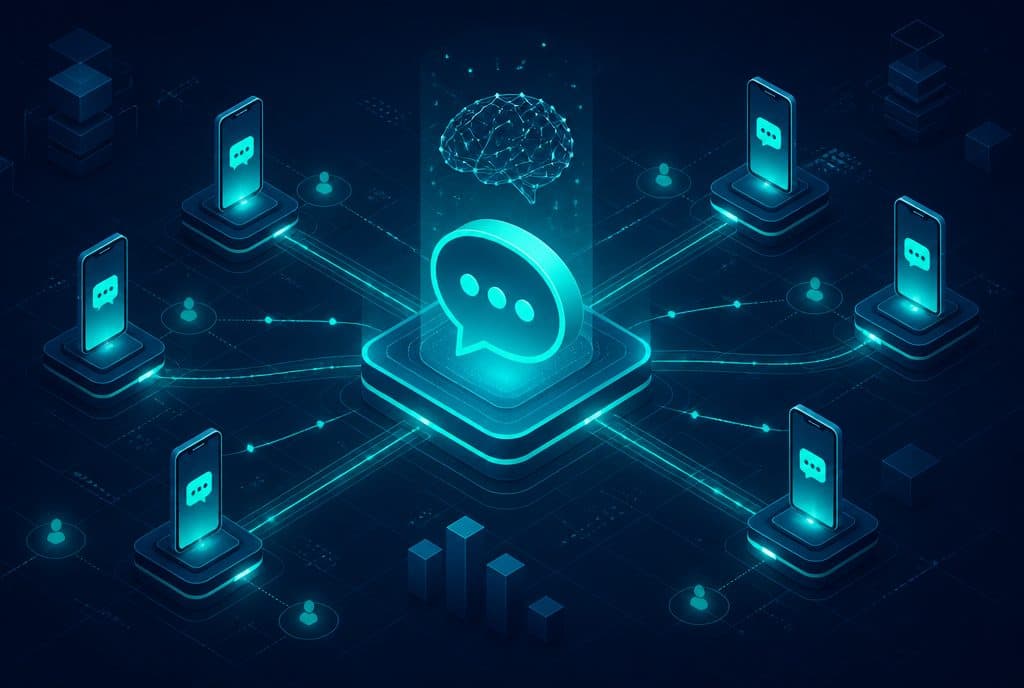
WhatsApp marketing with AI is a marketing communication methodology where a business sends outbound messages (broadcasts) to customer lists who have consented to receive them — and for every message that generates a response, an AI agent enters the conversation, understands the intent, answers in natural language, and leads to action: purchase, booking a meeting, or leaving details. The combination of outbound marketing and automated inbound handling is the difference between a campaign that generates conversations and a campaign that closes them.
The Tools that Make Up a WhatsApp Marketing System
| Component | Role | Common Tool |
|---|---|---|
| WhatsApp Business API | Sending commercial broadcasts + receiving inbound messages | Meta Cloud API / BSP Provider |
| Database & CRM | List repository, segmentation, customer history | Supabase, HubSpot |
| Automation Engine | Broadcast logic, segmentation, scheduling, routing | n8n |
| AI Agent | Managing inbound conversations, answers, referral | LLM + Custom Agent |
| Control Panel & Reports | Tracking opens, responses, conversions | n8n dashboard, custom BI |
All components work as a single unit. The most common flaw we see is businesses using the API for broadcasts but disconnecting it from the CRM and the agent — and then every response falls into a void.
Amendment 40 to the Communications Law: Legal Review Required
Amendment 40 replaced section 30A of Israel's Communications Law in 2008. Whether section 30A applies to a particular WhatsApp flow depends on the message and channel classification; separate privacy and database duties may also apply. The following are controls to take to counsel, not a legal checklist:
- Explicit consent before sending — There must be clear documentation that the recipient requested to receive marketing messages from the business. Emphasizing: "agreed to general terms" is not sufficient for direct marketing.
- Clear identification of the sender — Every marketing message must identify the business.
- Immediate removal option — A recipient who requests to stop receiving messages must be removed within a reasonable time, and not receive further messages.
- Restriction on sensitive content — Data collection and advertising based on sensitive characteristics (health, religion, origin) are subject to stricter restrictions.
Primary sources: Amendment 40 enacted text and WhatsApp Business Messaging Policy. Automaziot can implement counsel-approved consent evidence and suppression controls; those controls do not certify that a campaign is lawful.
List Segmentation: The Difference Between Broadcast and Spam
The reason most WhatsApp campaigns fail is not technical — it is poor segmentation. Broadcasting the identical message to the entire list generates low read rates, spam reports, and account bans from Meta. The correct approach:
Step 1 — Define basic categories:
- Active customers (purchased in the last 90 days)
- Unclosed leads (contacted but did not become customers)
- Old customers (inactive for over 6 months)
- Subscribers who joined the list but never purchased
Step 2 — Build content for each category: An active customer receives content that leverages what they have already purchased. An unclosed lead receives value + an offer that lowers friction. An old customer receives a "long time no talk" + a clear reason to return. A new subscriber receives an introduction before seeing a sales offer.
Step 3 — Timing based on behavior: An automation engine like n8n allows scheduling a broadcast not by a fixed date but by action — "send message X if the customer has not made a purchase within 30 days of the previous broadcast".
How AI Manages the Conversations that Open
When the broadcast goes out and a customer answers — this is the critical moment. Without an AI agent, every response requires a human representative. With an agent, every response is handled immediately:
How it works in practice
- Customer responds to the broadcast — "What's the price?" / "I'm interested" / "Send me details"
- The agent analyzes the intent — It understands not only the words but the intent behind them and the context (who the customer is, what they purchased in the past, what the broadcast topic was)
- The agent answers in natural language — Not "press 1 to get price" but an answer tailored to the question
- The agent performs actions — Sends a catalog, opens a lead in the CRM, schedules a call, sends a quote
- The agent hands over to a representative when needed — Complex questions, high-value customers, or an explicit request — with a full summary of the conversation
The agent operates 24/7. A customer who responds to a broadcast on Friday at 23:00 gets an immediate response — not on Sunday morning.
Four Types of Campaigns that Work
1. Offer broadcast with AI response Most common: sending a targeted offer (promotion, new product, relevant service to the segment), and the agent handles every response — questions, doubts, requesting more details.
2. Re-engagement sequence For cooled-down lists: a series of 2-3 messages over two weeks, each providing value, the last including an offer. The agent steps in as soon as there is a response at any stage.
3. Post-purchase automation After purchase: confirmation message, instructions for use, feedback request at the right timing, and offering a complementary product while the customer is satisfied. All stages occur automatically according to a timing defined once.
4. Event broadcast / Service update Invitation to an event, update on a change in service, meeting reminder — the agent answers questions that arise and manages RSVPs.
How to Get Started
Step 1: Access to WhatsApp Business API
Using the API for commercial marketing requires a verified account through Meta Business Suite and working through a recognized BSP (Business Solution Provider). The personal version of WhatsApp and even the WhatsApp Business App do not allow commercial broadcasts at scale.
Step 2: Building a permission record for counsel review
Before a broadcast, define what evidence the business will retain: the approved wording, recipient, source, time, channel and version, plus a working suppression mechanism. Counsel should decide whether consent or a statutory exception supports the specific send.
Step 3: Building the automation infrastructure
This is the step that determines the success of the system: connecting CRM, defining segmentation logic, broadcast scenarios, and building the agent that handles the conversations. Here, n8n serves as the engine that connects all components — the API, the CRM, and the AI agent.
Step 4: First broadcast, learning and improving
Start with a small and controlled segment, measure — open rate, response rate, conversions — and improve before expanding to the large list.
What Not to Do
- Do not send to purchased lists — this lacks first-party permission evidence and presents serious policy and legal risk; route any proposed use to counsel and Meta policy review.
- Do not rely on the WhatsApp Business App version for marketing — No API, no AI agent, no real segmentation.
- Do not send broadcasts without a ready response — A broadcast that generates responses that fall into a void is a double loss.
- Do not build one scenario for the entire list — Poor segmentation lowers conversion rates and increases spam reports.
CTA
Want to understand if WhatsApp marketing with AI is right for your business? Talk to us — we can assess the technical architecture, list evidence and scenarios, then implement the controls approved by your counsel. See also: Business Automation Service and WhatsApp Marketing and Amendment 40.
Summary
WhatsApp marketing with AI should not be used to make unsolicited messaging more efficient. A defensible technical design combines evidence approved by counsel, relevant segmentation, suppression controls and an AI agent that handles or escalates responses. The legal assessment remains separate from the implementation.