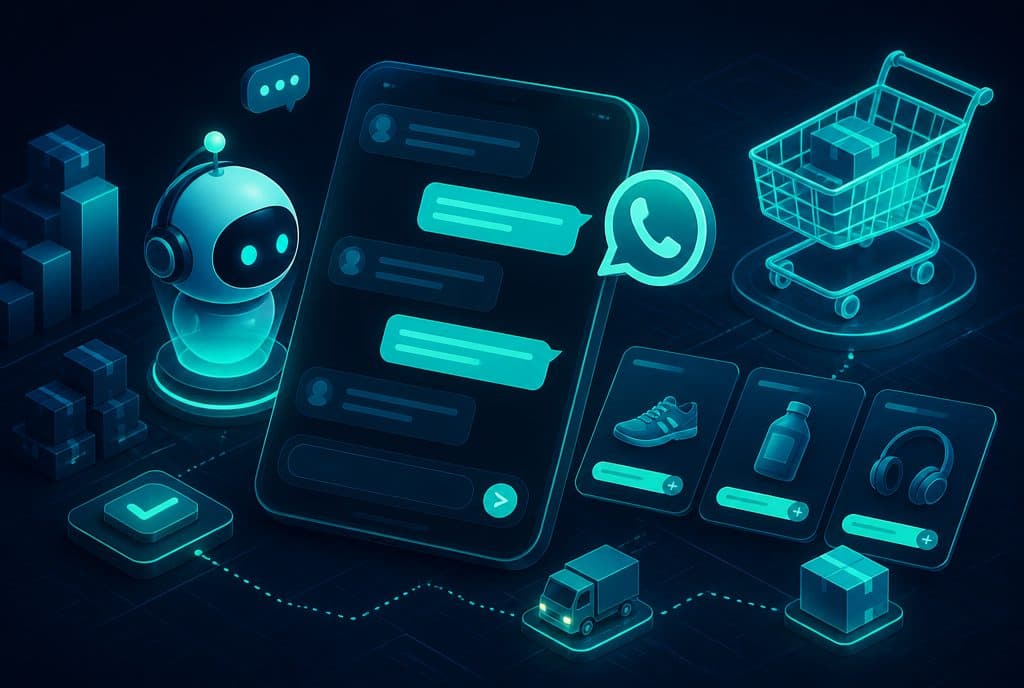
Automated order receiving on WhatsApp is a system where an AI agent manages the entire ordering process within a WhatsApp conversation — from presenting the menu, through item selection, building the order, final confirmation, and sending a payment link, to updating the kitchen, supplier, or distribution system. The customer writes in natural Hebrew; the agent understands, guides, and completes the transaction. All of this happens without any staff member responding manually, 24 hours a day.
For Israeli food and retail businesses, WhatsApp is already the flagship channel — customers write before they search the website. The question is not "whether to receive orders on WhatsApp" but "how much time the team spends on manual responses that could be automated."
What is Automated Order Receiving on WhatsApp?
Automated order receiving on WhatsApp is a system that allows a customer to select a product from a catalog, build a complete order, receive a summary and confirmation, and pay — all within a single WhatsApp conversation, without human touch. The agent manages the dialogue in natural Hebrew, presents options, handles changes and limitations (allergies, size, toppings), and transfers the finalized order directly to the relevant interface — kitchen, warehouse, or ERP system.
What the Agent Can Do — Capabilities Table
| Stage | What the Agent Does | Channel |
|---|---|---|
| Catalog / Menu Display | Sends items by category, images, prices | WhatsApp Message |
| Answering Questions | Ingredients, preparation time, available stock | Natural Conversation |
| Building the Order | Accumulating items, quantities, toppings, notes | Cumulative cart in memory |
| Confirmation & Summary | Sends a full summary before confirmation | Structured message |
| Payment | Sends a link to a payment page (Cardcom / Tranzila / PayBox) | Live link |
| Transfer to Team | Pushes the order to ERP / POS / Sheet | n8n Webhook |
| Confirmation & Delivery | Updates the customer with estimated time | WhatsApp Message |
How It Works — Step-by-Step Order Flow
1. The First Contact
The customer writes to the business WhatsApp — "Can I order?" or simply "Menu". The agent identifies the ordering intent and sends the relevant catalog: main categories, thumbnails, and prices. For restaurant businesses — a daily or seasonal menu that updates automatically from a central file.
2. Catalog Navigation and Selection
The customer selects items in natural language — "A large Margherita pizza without olives, and an iced coffee." The agent understands the choice, presents relevant topping options (double cheese? another dish?), and adds them to the cart. If an item is out of stock, the agent reports it and suggests an alternative.
3. Special Notes and Allergies
"Allergic to gluten" or "no onions" — the agent adds a structured note to the order that reaches the kitchen and staff. A free-text notes field, not a rigid menu.
4. Summary and Confirmation
Before closing, the agent sends a summary: all items, quantities, total payment, delivery address (if relevant), and a confirmation field. The customer says "confirm" — the order moves to the payment stage.
5. Payment
The agent sends a unique link to a secure payment page (Cardcom, Tranzila, PayBox, or any Israeli payment gateway). After a successful payment, the agent receives a webhook from the gateway and confirms it to the customer.
6. Transfer to the Execution Team
Simultaneously, the confirmed order is pushed to the management system — Google Sheets, ERP, POS, restaurant system, or a staff WhatsApp group — via automation in n8n. No manual typing, no transfer errors.
7. Update and Scheduling
The customer receives a confirmation message with an estimated time (preparation, pickup, courier). If there is a delay, the agent sends an automatic update.
Who It Is For
Food and Restaurant Businesses
Takeaway restaurants, bakeries, catering, market stalls — any business that receives recurring orders by phone and WhatsApp. The busiest hours (Friday afternoon, holiday eves) are also the times when it is hardest to answer manually. An AI agent continues to receive orders and close deals even when the entire team is busy.
Retail and Online Stores
Stores with a defined catalog — clothing, sports equipment, home products, nutritional supplements — whose customers write to WhatsApp "Do you have this in size L in blue?". The agent checks stock, suggests alternatives, and completes the sale, including a payment link and shipping confirmation.
Wholesalers and B2B Businesses
Regular customers who order weekly — the agent identifies a returning customer, displays their history, and allows "the same as last week?" with a single click. The scale of manual handling time saved is significant for businesses processing dozens of weekly orders.
Services with Defined Packages
Laundromats, cleaning services, photography, productions — any business that has a clear price list and where a deal can be closed without a meeting. The agent presents the packages, clarifies terms, and sends an approved quote for payment.
What is Required for Setup
What is needed from the business side:
- An organized catalog / menu (Google Sheets, PDF, or an existing interface)
- WhatsApp Business API (not the regular app — a regulated API)
- An Israeli payment gateway with an API (Cardcom, Tranzila, PayBox)
- Clear definition: what the agent answers and what is left for a human
What we build:
- The agent itself (LLM + conversation logic + cart memory)
- Connections to all systems via n8n
- A management interface for updating the catalog and prices
- End-to-end testing before going live
How to Get Started
Step 1 — Discovery & Characterization (Week 1): We map the types of orders, recurring customer questions, and existing systems. We determine what the agent answers and what is transferred to a representative.
Step 2 — Build & Testing (Weeks 2-3): Setting up the agent, connecting the catalog and payment, internal testing in every scenario.
Step 3 — Controlled Pilot: One to two weeks where the agent operates alongside the team — we see what customers ask, what works, and what needs refining.
Step 4 — Full Go-Live: The agent is independent, and the team only receives orders that require exceptional handling.
Want to see what this would look like for your catalog? Talk to us and we will build an initial characterization together — with no obligation.
Connections to Related Services
A WhatsApp order receiving system is usually part of a larger ecosystem. In the projects we build, it is integrated alongside:
- WhatsApp Agent for Service and Sales — the same agent that receives orders also answers post-purchase service questions
- E-commerce Automation — inventory management, courier coordination, and order status updates
- Automated Lead Management — a customer who ordered once becomes a CRM lead for future follow-up
Another comprehensive guide: E-commerce Automation — The Complete Guide.