What Is n8n?
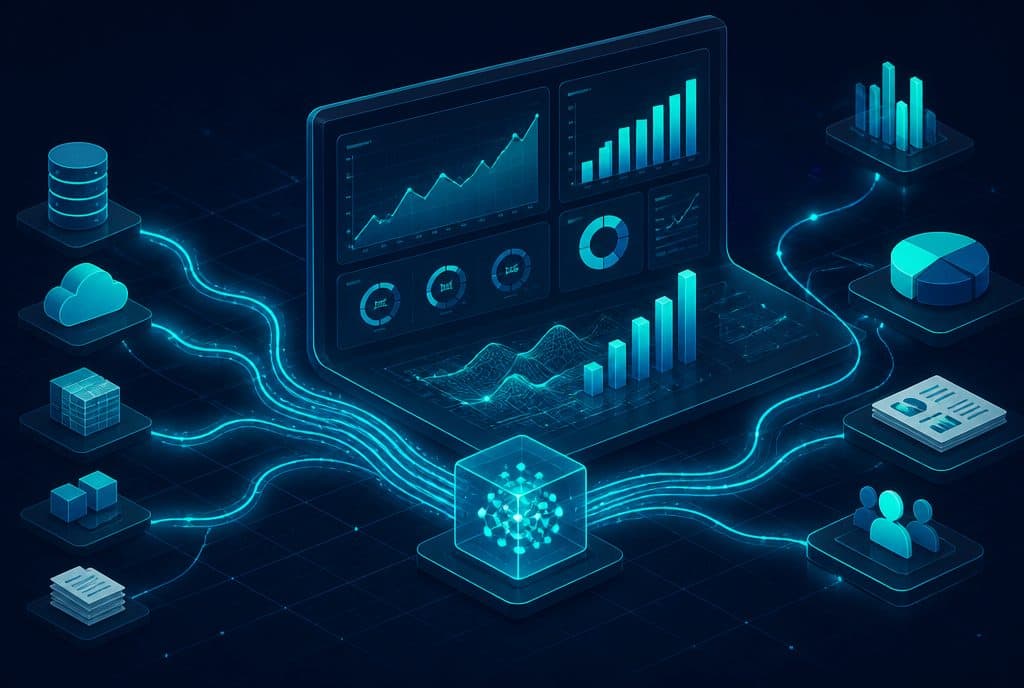
n8n is a source-available workflow automation platform, distributed under a fair-code license, that connects systems and APIs, transforms data, and triggers actions through nodes in a visual editor. Expressions, HTTP requests, and code can extend a workflow when a prebuilt node is not sufficient.
The official pronunciation is n-eight-n. Jan Oberhauser launched the product in 2019; its name originated from “nodemation,” as documented on the official n8n press page.
A compact workflow example:
- A website form posts a lead to a Webhook.
- n8n validates and maps the fields.
- A CRM record is created or updated.
- WhatsApp sends an acknowledgment when policy and permission allow it.
- The workflow creates a follow-up task or calendar event.
Every step needs a defined input, output, failure mode, and human owner. “Automated” does not mean untested or maintenance-free.
License: Source-Available and Fair-Code, Not OSI Open Source
n8n publishes its source code and makes a Community Edition available for self-hosting, but distributes the product under its Sustainable Use License. The license allows many uses, including internal business use, while restricting some commercial uses and offering the product to others.
The accurate description is source-available/fair-code, not “open source without restrictions.” Review the license before embedding n8n in a commercial product or operating it as a service for customers.
n8n Cloud or Self-Hosted?
| Consideration | n8n Cloud | Self-hosted |
|---|---|---|
| Infrastructure and updates | Managed within the service | Business responsibility |
| Initial setup | Workspace after registration | Server or Docker setup |
| Environment control | Plan-dependent | Broader configuration and network control |
| Operations | Less infrastructure work | TLS, backups, monitoring, updates, recovery |
| Cost model | Plan and executions | Software subject to license + infrastructure and operations |
Cloud fits a team that wants to start without operating a server. Self-hosting fits requirements that justify infrastructure ownership. It does not create privacy or compliance by itself; those depend on architecture, vendors, permissions, retention, encryption, and controls.
n8n Pricing — A Dated Snapshot
The official pricing page, checked on July 10, 2026, displayed these annual-billing equivalents:
| Plan | Displayed monthly price, billed annually | Included executions |
|---|---|---|
| Starter | €20 | 2,500 |
| Pro | €50 | 10,000 |
| Business | €667 | 40,000, self-hosted |
Plans, allowances, concurrency, and features can change. Verify the official page on the purchase date. Community Edition has no software subscription fee for uses allowed by the license, but servers, databases, backups, monitoring, and maintenance time still cost money.
n8n Cloud bills around workflow executions, while other platforms may use tasks or operations. Compare a representative workflow and volume rather than entry prices. See n8n vs. Make vs. Zapier.
What You Need Before Starting
- One process with a clear trigger, input, and output;
- an n8n Cloud account or local Docker environment;
- API credentials and permissions for connected systems;
- sample data, including missing and invalid fields;
- an operator and alert path for failures;
- data-retention and access rules.
The official site maintains a broad integration catalog and thousands of workflow templates. Counts change, so this guide does not freeze them. A template is a starting point, not a substitute for understanding credentials, fields, policy, and exceptions.
Local Docker Installation
For local evaluation, the official Docker documentation uses the official image and persistent storage. A minimal command is:
docker run -it --rm \
  --name n8n \
  -p 5678:5678 \
  -v n8n_data:/home/node/.n8n \
  docker.n8n.io/n8nio/n8n
Open http://localhost:5678 after startup. The volume persists application data between runs, but this command is not a complete production deployment.
Production planning includes TLS and a reverse proxy, secrets, backups and restore tests, updates, monitoring, execution-data retention, and an appropriate database. Docker Compose and PostgreSQL are common options, but architecture and size come from load testing rather than a generic user count.
Understanding the Interface
- Canvas — connect nodes and inspect workflow sequence.
- Node Panel — search triggers, actions, logic, data, and AI nodes.
- Execution data — inspect each node's input/output and retained executions.
A workflow normally contains a trigger and one or more actions. The trigger can be a Webhook, schedule, or source-system event. The visual editor makes the flow easier to inspect, but field mapping, authentication, and failure design remain technical work.
First Workflow: Lead → WhatsApp → CRM
This is an architecture exercise. It does not replace WhatsApp Business setup, consent, message-template rules, or CRM permissions.
1. Receive a Lead with Webhook
Add a POST Webhook. Configure authentication where appropriate and send sample name, phone, and email fields. Validate required fields and normalize the phone number.
2. Send a WhatsApp Message
Add WhatsApp Business Cloud, store credentials securely, and map the phone field. A business-initiated message may require an approved template; service-window rules differ. Define opt-out and human transfer.
3. Create or Update the CRM Record
Add Zoho CRM or another CRM. Search for an existing record before Create to avoid duplication. Map only required fields and record source and delivery state.
4. Test and Activate
Test a valid case, missing field, malformed number, timeout, and duplicate delivery. Confirm a retry cannot send twice or create a duplicate lead. Activate and enable alerts only after acceptance testing.
Common Integrations and Their Controls
| System or node | Possible use | Essential check |
|---|---|---|
| WhatsApp Business Cloud | Acknowledgment, conversation, update | Consent, template, opt-out, human transfer |
| Zoho CRM or another CRM | Lead, status, task | Source of truth, duplicates, field map |
| Google Sheets | Input, export, report | Permissions, schema, column changes |
| Gmail / Outlook | Notification, follow-up | Sender identity, rate limits, bounces |
| Slack / Telegram | Team alert | Sensitive data and channel access |
| OpenAI / Anthropic / Gemini | Classification or draft | Data sent, evals, action approval |
| Google Calendar | Appointment and reminder | Time zone, duplicates, conflicts |
| HTTP Request | Generic API access | Authentication, timeout, pagination, rate limits |
Advanced Nodes and Techniques
- Error Trigger: starts a recovery workflow when an execution fails.
- IF / Switch: routes explicit conditions and includes a default path.
- HTTP Request: connects an API without a dedicated node; define timeout, pagination, and expected response.
- Code: runs JavaScript or Python for transformations not covered by a node. Code needs review and tests.
- AI nodes: connect models, memory, or tools. Restrict permissions and validate output before actions.
- Loop Over Items / batching: processes controlled batches to respect rate limits and workload.
Five Useful Workflow Patterns
- Lead intake: form → validation → CRM → acknowledgment → follow-up task.
- Appointment reminder: calendar → permission check → reminder → confirm/cancel → update.
- Operational report: schedule → data collection → quality checks → summary → distribution.
- AI-assisted classification: inquiry → remove unnecessary data → classify → confidence check → human or action.
- System synchronization: source event → idempotent upsert → result log → failure alert.
These are design patterns, not customer case studies or savings claims.
Five Common Mistakes
- Starting with a giant workflow. Begin with a trigger and two actions, then expand.
- No error path. Add alerts, bounded retries, and a manual recovery task.
- Testing only clean data. Test nulls, punctuation, multiple languages, duplicates, and large payloads.
- Ignoring rate limits. Use batching, backoff, and pagination.
- Skipping documentation. Use clear names and Sticky Notes; document credentials, owner, and runbook.
Operations, Outages, and Migration
Cloud reduces infrastructure work but does not remove workflow and dependency monitoring. With self-hosting, the business also owns instance availability. Retained execution data does not guarantee every workflow resumes from the same step; restart and retry behavior depends on workflow and node design.
Migration from Zapier or Make starts by mapping triggers, actions, filters, data, credentials, and exception paths. Rebuild, run a representative sample in parallel, compare results, and cut over only after acceptance.
Size self-hosting through load tests: executions per minute, concurrency, duration, payload size, code or AI nodes, queueing, and retention. There is no universal server size for a “small business.”
Build It Yourself or Hire a Specialist?
Self-learning fits a non-critical workflow with test data and few nodes. Specialist support fits sensitive data, customer communications, payments, many APIs, availability requirements, load, or support obligations.
Automaziot AI offers characterization and complete process automation as a staged engagement. third-party costs are paid directly to providers.
Frequently Asked Questions
Can n8n workflows be built without code?
Some workflows can be assembled visually, but APIs, expressions, authentication, and exceptions may require code or technical knowledge. “Low-code” is more accurate than “no-code.”
Does self-hosting mean unlimited executions?
Community Edition does not use a Cloud execution allowance, but capacity is constrained by infrastructure, concurrency, databases, connected APIs, and license terms. Measure and monitor rather than promising “unlimited.”
Is n8n suitable for sensitive data?
It can be part of an appropriate architecture, but tool or hosting choice does not create compliance. Define data flow, permissions, retention, vendors, encryption, audit, and backups for the business's requirements and applicable law.
Can a template be activated immediately?
A template needs credential, field, consent, rate-limit, irreversible-action, and error-path review. Activate production only after customization and acceptance testing.
Summary
n8n fits processes that can be expressed as triggers, data, and actions across systems. Its value is not an integration or template count; it is a tested, observable, documented workflow with a human path for exceptions.
Ready to map a first workflow? Talk to us about n8n automation, and we will define the process, metrics, permissions, and operations before implementation.