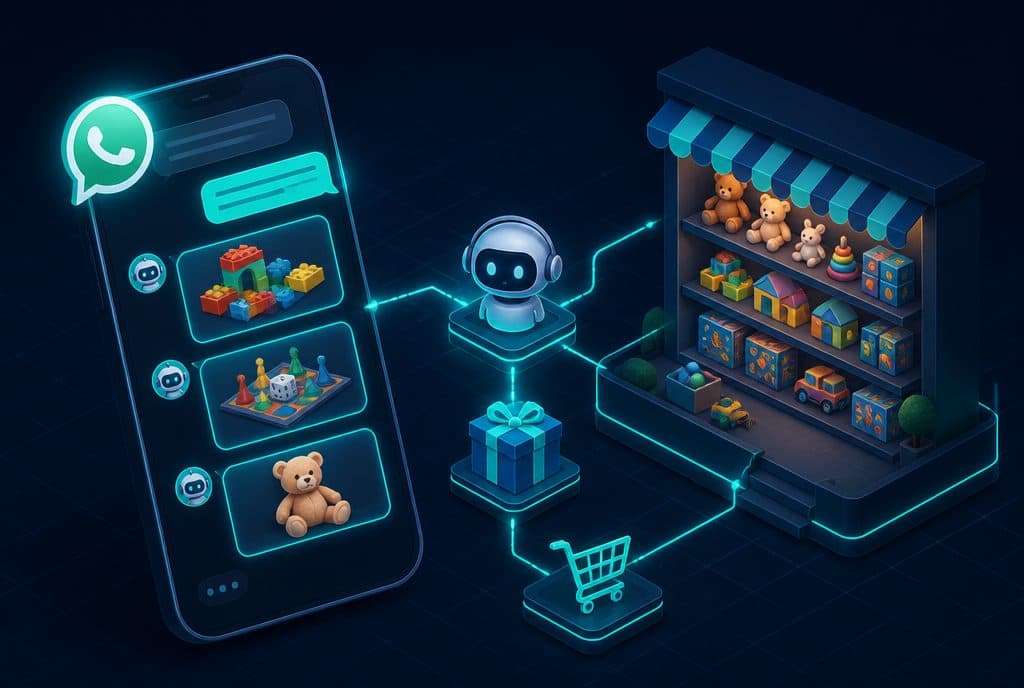
A WhatsApp bot for a toy store is an automation system that manages routine customer inquiries on WhatsApp—questions about age appropriateness, stock checks, receiving orders, and delivery updates—without requiring a representative to be available at all hours. The bot is connected to the store's management system, retrieves information in real-time, and leaves only the inquiries that truly require human judgment to the team.
In the Israeli toy industry, the real pressure comes in waves: Hanukkah, Rosh Hashanah, or a child's birthday where a gift is needed by tomorrow. Exactly during these hours—evenings, Friday afternoons, holiday eves—the team is busy, the phone is ringing, and inquiries fall between the cracks. This is exactly where ecommerce automation and a WhatsApp bot change the picture.
How does automation help a toy store?
A WhatsApp bot for a toy store solves three main pain points: answering repetitive inquiries (age, stock, price) that consume a disproportionate amount of time, managing orders and delivery updates that need to work 24/7, and preventing lost sales during peak seasons when the team is at full capacity. The bot responds instantly, checks stock in real-time, and leaves only the decisions that truly require experience to a human.
Inquiries that a toy store receives repeatedly
Before explaining what the bot does, it is worth identifying the inquiries that consume the most time:
- "What toy is suitable for a 4-year-old?"
- "Do you have [Product X] in stock?"
- "When will my order arrive?"
- "I need a birthday gift within a budget of 150 ILS, what do you recommend?"
- "Can you hold an item for me until Sunday?"
- "Do you have a specific cabinet/color/version?"
Each of these inquiries can be fully automated—or at least undergo initial filtering that significantly shortens handling time.
Bot Capabilities: What Can Be Streamlined
| Capability | How It Works |
|---|---|
| Recommendations by age | The customer specifies age and area of interest → The bot retrieves suitable categories and displays 3-5 options with links |
| Real-time stock check | The bot queries the management system (Shopify / WooCommerce / ERP) and reports availability |
| Receiving orders | Customer selects a product → The bot directs them to a payment page or collects details and enters a manual order |
| Delivery updates | Connection to the courier (Mishlohim, SpeedEx, DHL) → The bot sends a proactive update when the package goes out |
| Reserving stock (pre-order) | Customer asks to hold a product → The bot records it and sends a reminder to the team |
| Event registration | Birthdays, craft workshops, playgroups—the bot registers them and sends a confirmation |
| Abandoned cart follow-up | Connection to the online store → The bot sends a reminder after 24 hours |
Real-World Work Scenarios
Scenario A: Gift inquiry on Hanukkah eve
A customer writes at 22:00: "I need a gift for a 6-year-old girl with a budget of 200 ILS, something creative."
The bot responds within seconds: three suitable products with photos, prices, and a link to purchase. If there is stock—an option to purchase directly from the chat. If not—the bot suggests an alternative that is in stock.
Without the bot: The inquiry arrives after the store is closed, gets forgotten, and by tomorrow morning the customer has already bought from a competitor.
Scenario B: Proactive delivery update
A parent ordered a board game for a child's birthday in two days. They are anxious to know if it will arrive on time.
The bot sends an automatic update the moment the package goes out for delivery, including a tracking number. The parent does not need to call. The team does not waste time on "where is my order?" questions.
Scenario C: Managing birthday registrations
The store offers birthday packages. Before the bot—every request required a phone call, manual registration, and sending a manual confirmation.
Now: The customer writes "I want to organize a birthday," the bot explains the packages, asks for the date and number of children, checks availability, and books it—all in one conversation. Information is automatically transferred to Google Calendar and the CRM.
Scenario D: Holiday season under heavy load
In the week before Hanukkah, there are 80 inquiries a day. The team is overwhelmed.
The bot handles all stock and delivery questions—automatically. Only inquiries that require human judgment reach the team: complex returns, complaints, large transactions. The volume of inquiries increases, but the pressure on the team does not.
Which systems does the bot connect to?
The bot does not work in isolation—it is connected to the tools the store already uses:
- Store management system: Shopify, WooCommerce, Wix Stores—for stock checks and order updates
- CRM: Saving customer details, purchase history, and tagging by preferences
- Couriers: SpeedEx, Mishlohim, DHL—for automatic status updates
- Calendar: Google Calendar for coordinating events and birthday packages
- n8n: The automation platform that connects all systems and manages the logic
All integrations are built through official APIs—not workaround solutions that break during updates.
Privacy Protection Law and Customer Data Security
When saving customer details and conversations—and especially when dealing with children's details—it is important to comply with the Israeli Privacy Protection Law. Practical points:
- Performing actions only through the official WhatsApp Business API—not unofficial tools
- Clear opt-out option: Every customer can request to remove their details
- Saving minimum required information: Do not save data that has no operational need
- Clear clarification at the beginning of the conversation: "This conversation is partially managed by an automated bot"
How to get started?
The correct approach is not to start with the technology—but with the characterization:
Step 1—Mapping inquiries: List the 10 questions the store receives most often. Usually, 80% of inquiries fall into 5-6 repetitive categories.
Step 2—Choosing an entry point: You don't have to streamline everything. Start with one thing—for example, stock checks and age questions—and expand after you see that it works.
Step 3—Connecting systems: The bot needs access to real-time stock data. If the management system supports an API (most systems today do), this is a direct build.
Step 4—Defining handoff rules to a human: The bot does not replace a human entirely—it defines when to transfer: a complaint, an unusual request, or a conversation that got complicated.
Step 5—Controlled launch: Start with a portion of the inquiries, monitor, adjust, and then expand.
Want to build a WhatsApp bot for your toy store before the next holiday season? Talk to us—we will do an initial characterization and figure out together where it makes sense to start.
How much does it cost?
| Component | Price (one-time setup, ex-VAT) |
|---|---|
| AI order-taking agent | ILS 7,500 |
| Payment link and checkout inside the chat | ILS 2,800 |
| Business knowledge base | ILS 3,000 |
| Automatic follow-up sequence | ILS 2,500 |
| WhatsApp Business API setup | ILS 700 |
A complete starting point — a WhatsApp AI agent including the business number, server and agent control room — is from ILS 10,200; an agent with a management system (CRM) from ILS 18,200, a multi-agent system from ILS 25,350. There is no monthly fee; third-party costs (server, messages, AI) of about ILS 100–500 a month are paid directly to the providers. The full component price list: pricing page.
Summary
A toy store faces a double challenge: customers who expect an immediate response even during unusual hours, and peak seasons that can overwhelm a small team. A WhatsApp bot connected to the store's systems—stock, orders, couriers—does not harm the customer experience; it improves it, because the customer gets an immediate and accurate answer instead of waiting.
The practical point: start with what hurts the most. If age and stock questions take up hours of team time every week—start there. If delivery updates are the biggest source of inquiries—prioritize that. The success of a bot is measured not by its features, but by how many conversations are saved for the people who truly need a human.
For details on WhatsApp solutions for businesses, see WhatsApp bot for business, and for online store automation, see ecommerce automation. For more examples of automation for retail stores, see also WhatsApp bot for retail stores.