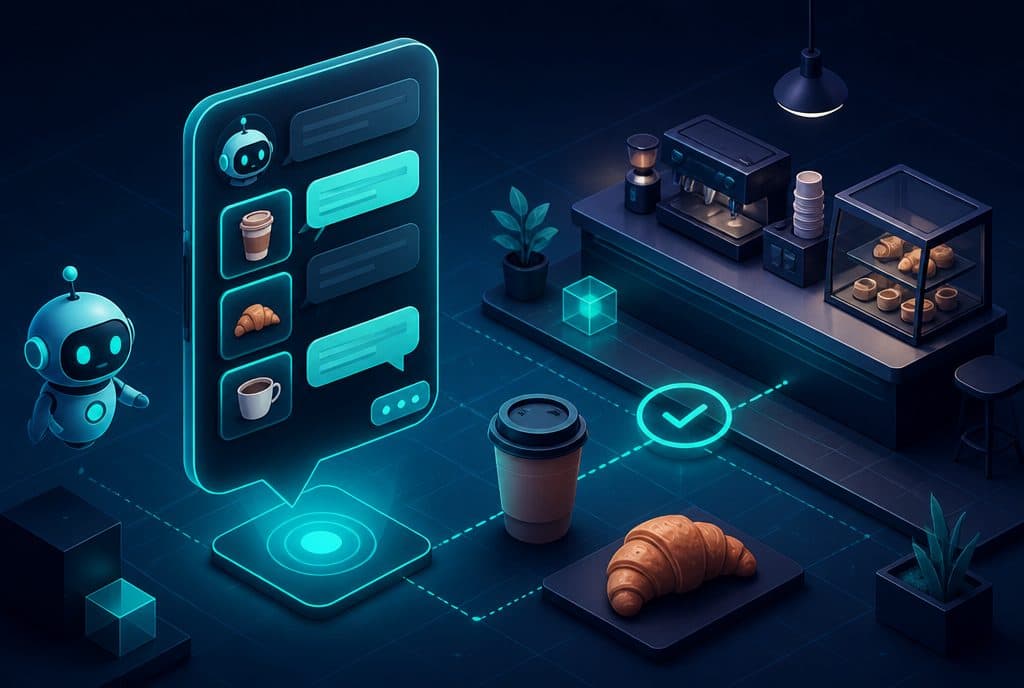
A WhatsApp bot for a coffee shop is a system connected to your business WhatsApp account that automatically responds to customers—answering questions about hours and the menu, handling table reservation requests, takeaway orders, and events—24/7, without you having to stop what you are doing to read and reply every single time. At Automaziot AI, we build these bots for small Israeli businesses, including coffee shops and restaurants.
A small coffee shop is a business whose entire strength lies in the physical experience—good coffee, atmosphere, hands-on work. The problem is that WhatsApp never stops: customers ask "How late are you open?" at 11:00 PM, ask to save a table for Friday, inquire about allergens on the menu, and want to know if there is parking. Each of these questions, on its own, is small. Together—they are exhausting.
How Automation Helps a Coffee Shop
A WhatsApp bot for a coffee shop answers repetitive questions (hours, menu, parking, allergens) the moment they arrive, receives table reservation requests and forwards them for your approval, automatically sends the menu and price list, and handles takeaway orders—all without you pausing your service. The staff keeps working; the bot handles everything that requires an immediate response.
What Can Be Streamlined in a Coffee Shop—and What Cannot
Scenarios That Work Well with Automation
| Scenario | What the Bot Does | What is Left for You |
|---|---|---|
| FAQs | Answers instantly (hours, address, parking, Wi-Fi, allergens) | Nothing—the bot handles it |
| Sending the Menu | Sends a PDF file or image upon request | Updating the menu itself |
| Table Reservation | Collects details, sends for your approval, confirms to the customer | Capacity management + approval |
| Takeaway | Collects order + pickup time, sends to staff | Actual preparation |
| Events and Parties | Sends information, collects initial requests | Management and meeting |
| Customer Club | Sends update messages + benefits to subscribers | Defining the benefits |
What Automation Will Not Replace
A bot does not replace human conversation when a customer wants to customize a complex event, negotiate a price, or has a genuine complaint. The boundary is clear: the bot is excellent at binary answers and initial filtering—when something requires human judgment, it transfers the conversation to a person along with a summary of what was said.
Three Key Scenarios—How It Looks in Practice
1. Routine Questions and Opening Hours
A customer writes "How late are you open today?" at 10:30 PM. The bot reads from the data you entered, responds immediately in natural Hebrew ("Today we are open until midnight"), and adds a link to the menu if the customer asks about food. You don't even see this message—it has been handled.
If the customer asks something the bot is not familiar with—"Do you offer catering at our home for an event?"—the bot hands the conversation over to you with a summary. You take it from there.
2. Table Reservation for the Weekend
"I want to reserve a table for four people for Friday afternoon." The bot conducts a short conversation—name, phone number, number of guests, time—and sends you the details in an internal message (or to a spreadsheet, whichever suits you). You approve or offer an alternative, and the bot sends a confirmation to the customer. An automatic reminder is sent the day before.
This does not replace a table management system—but for a coffee shop that manages everything manually, it is a significant upgrade.
3. Takeaway Orders During Rush Hour
"Can I order a chicken sandwich and a large latte for pickup at 1:00 PM?" The bot sends the order directly to a shared spreadsheet with the kitchen, confirms to the customer, and states the total price. At 1:00 PM, the sandwich is ready; no manual typing errors, no need to divert attention from the queue.
How to Get Started—Step by Step
Step 1: Characterization—Before Any Technology
Before building anything, it is worth pausing to ask: What are the most repetitive questions? Write down the last 10-15 messages you received on WhatsApp. In most cases, you will find that the majority of inquiries focus on 4-5 topics. That is where you start.
Step 2: WhatsApp Business API
Automation requires a connection to the WhatsApp Business API—not the regular app. The connection is made through an authorized provider (BSP) and requires Meta's approval. The process takes a few days; we guide you every step of the way.
Step 3: Modular Building
Start with the most painful scenario—usually FAQs + sending the menu. Once that is working and stable, add table reservations, and then takeaway. Do not build everything at once.
Step 4: Automation with n8n
The bot engine works with n8n as the automation engine—connecting the bot to a spreadsheet, Google Calendar, or an existing management system. The build is modular: each additional connection is independent, allowing you to add or remove features easily.
Step 5: Launch and Improvement
After launching, monitor for a week or two: Which questions was the bot unable to answer? What was transferred to a human more often than expected? Refine and expand.
Questions to Ask Before Deciding
What is already working for you? If you receive 5 messages a day, automation will not yield a quick return on investment. If you receive 30+, especially during hours when you cannot answer (evenings, Fridays)—this is where automation delivers immediate value.
What is your type of booking? A coffee shop that mostly offers spontaneous seating (no reservations) will benefit from the bot mainly through FAQs and sending the menu. A place with many table reservations for the weekend—there is higher value in automated booking.
Is your staff ready for the change? A bot introduced to an unprepared staff creates confusion. You need to explain what the bot does, when it transfers to a human, and how to view incoming inquiries.
What Not to Do
- Do not try to cover everything at once—a bot that tries to handle every possible scenario on day one is a bot that does nothing well.
- Do not forget the Privacy Protection Law—any collection of customer details (name, phone, preferences) must comply with the Israeli Privacy Protection Law. Proper building takes this into account from day one.
- Do not disappear after the launch—the bot is a tool that needs attention: Did the menu change? Did hours change? A special event? The data in the bot needs to be updated.
Related Links
- WhatsApp Bot Service for Businesses—A full explanation of what we build and how
- Automated Scheduling and Appointment Booking—For managing table reservations and events
- WhatsApp Bot for Restaurants—The Extended Guide—A version for larger chains and restaurants
How much does it cost?
| Component | Price (one-time setup, ex-VAT) |
|---|---|
| AI order-taking agent | ILS 7,500 |
| Payment link and checkout inside the chat | ILS 2,800 |
| Business knowledge base | ILS 3,000 |
| Automatic follow-up sequence | ILS 2,500 |
| WhatsApp Business API setup | ILS 700 |
A complete starting point — a WhatsApp AI agent including the business number, server and agent control room — is from ILS 10,200; an agent with a management system (CRM) from ILS 18,200, a multi-agent system from ILS 25,350. There is no monthly fee; third-party costs (server, messages, AI) of about ILS 100–500 a month are paid directly to the providers. The full component price list: pricing page.
Summary
A small coffee shop does not need a massive system—it needs a quick response to repetitive inquiries, without the staff having to stop working every single time. An AI-powered WhatsApp bot does exactly that: answers routine questions, sends the menu, collects table reservation and takeaway requests, and transfers to a human only what truly requires judgment.
Our recommendation: start with a quick analysis of the last 10 messages you received. What kept coming up? That is where the first value lies.
Want to check if automation is right for your coffee shop? Talk to us on WhatsApp—we would be happy to have an initial consultation call and understand where it is best to start.