A painting and drywall contractor advertising online receives dozens of inquiries a week on average: WhatsApp, forms, Instagram messages. Most of them arrive during hours when it is impossible to answer, some are not from the relevant area at all, and some clients are not willing to take photos of the walls and share information — they only want to hear a price. The problem is not the volume of inquiries, but that the contractor spends hours on leads, half of which will never close. A WhatsApp bot for painting and drywall contractors solves exactly this: it filters by area, receives photos, sends an initial price quote, and follows up — with zero human touch until the lead is ready.
How does automation help a painting contractor?
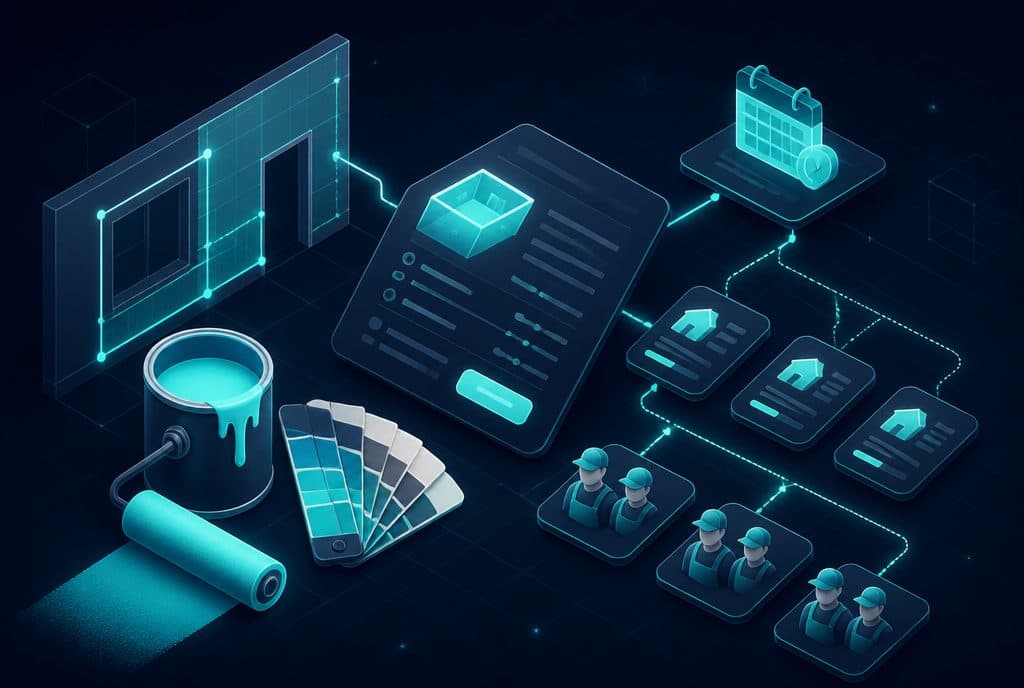
A WhatsApp bot for a painting contractor filters inquiries by geographical area and type of work, collects details and photos of the walls' condition, sends an initial price quote, and schedules an estimation visit — all automatically, 24/7, without the contractor touching the conversation until the lead has undergone initial qualification and is ready for approval.
The real challenge of an advertising painting contractor
A painting contractor who runs the business alone or with a small team lives in a dilemma: when he is at work, he cannot answer the phone, and when he answers at the end of the day, the client has already contacted a competitor. Even when he does get to the call, it often turns out that the client is in another city, looking for a spot paint job in one room, or not willing to schedule a visit date at all.
The problem is not solved by more advertising — it is solved by automatic filtering and follow-up.
What the WhatsApp bot actually does — step by step
1. Receiving the first inquiry and immediate qualification
The client writes "I'm looking for a painting contractor" or clicks on an ad. The bot responds within seconds in natural Hebrew and asks the questions the contractor would ask:
- Area: "In which city and neighborhood?"
- Type of work: "Paint only, drywall, or both?"
- Scope: "Approximately how many rooms / sqm?"
- Timeline: "When are you looking to start?"
If the answer is outside the contractor's service area, the bot thanks them politely and ends the conversation — without the contractor wasting a single minute.
2. Receiving photos and visual information
After the basic qualification, the bot asks for photos: walls before work, drywall defects, rooms that need painting. The client sends them on WhatsApp, and the bot stores and forwards them to the contractor with all the details organized — name, phone, area, description, photos.
3. Initial price quote and visit confirmation
Based on the scope described by the client, the bot can send an indicative price range ("For a 4-room apartment, the price range is usually X-Y ₪, an estimation visit will confirm the final price"). Then, the bot suggests dates for an estimation visit — either directly from the contractor's calendar if there is such an integration, or based on pre-defined available hours.
4. Automatic follow-up within 24-72 hours
Most clients do not answer the first question on WhatsApp. The bot sends a gentle reminder a day later ("Hi, I saw you reached out — are you still looking?"), and if there is no response — another message after 48 hours. Everything is automatic; the contractor does not need to remember who answered and who did not.
5. Writing to CRM and status marking
Every lead enters the lead management system with a status: "Pending visit", "Proposal sent", "Closed". This way, the contractor sees the status of each inquiry in one second and does not have to dig through chat history.
Capabilities table: What the bot does vs. what is left for the contractor
| Task | Automated Bot | Contractor / Human |
|---|---|---|
| First response 24/7 | ✓ | |
| Area and work type qualification | ✓ | |
| Receiving photos of the walls' condition | ✓ | |
| Initial / indicative price quote | ✓ | |
| Scheduling estimation visit | ✓ | |
| Proactive follow-up after 24/48 hours | ✓ | |
| Writing lead to CRM | ✓ | |
| Final price estimation during visit | ✓ | |
| Complex price negotiation | ✓ | |
| Executing the work | ✓ |
Three scenarios that return investment quickly
Scenario A: Inquiry on Friday afternoon
A client writes on Friday at 14:00. The contractor is in Shabbat mode. The bot answers immediately, collects details, requests photos, and suggests a visit on Sunday. By the time the contractor opens his phone on Sunday morning — there is a ready lead with all the information, photos, and an agreed-upon date.
Scenario B: Filtering irrelevant inquiries
A contractor who works only in the Gush Dan area receives inquiries from all over the country due to Google advertising. The bot asks "In which city?" and politely ends inquiries from outside the area — before the contractor wastes seconds on them.
Scenario C: Follow-up on forgotten leads
A contractor who has 30 inquiries a month — 20 of them did not answer his second question. The bot sends an automatic follow-up and brings some of these leads back to the conversation. Every lead that returns is a job that would have been lost.
How does this integrate with existing tools?
The automation solution is built on top of n8n as an integration platform, and connects to:
- WhatsApp Business API — encrypted conversations, photos, files
- CRM — automatic lead creation with all details and photos
- Google Calendar — suggesting available dates for an estimation visit
- PDF / Proposal system — sending an initial document after qualification
What is not suitable for automation
It is important to know: the bot optimizes the initial stage of receiving the inquiry, qualification, and follow-up. The actual visit, the final price estimation, and dealing with a complex client — these remain for the contractor. The bot does not replace the contractor; it takes him out of the lead-grinding machine so he can focus on the work itself.
How to get started?
- Characterization: We define together what the bot asks, which areas it accepts, what it answers, and what reaches the contractor.
- Building: We build the bot, connect it to the WhatsApp Business API and the CRM.
- Testing: We run real scenarios before going live.
- Activation: The bot goes live and starts managing inquiries.
A basic bot is usually ready within about a week. A full solution with CRM, calendar, and follow-up — within 2-4 weeks.
Want to see what it looks like in practice? Talk to us on WhatsApp and we will build the characterization together — free of charge and with no obligation.
Related Links
- WhatsApp bot for business — everything you need to know
- Automated Lead Management
- Automation for service businesses — principles and implementation
How much does it cost?
| Component | Price (one-time setup, ex-VAT) |
|---|---|
| WhatsApp AI sales agent | ILS 9,000 |
| Automatic quoting engine | ILS 6,500 |
| Calendar link and meeting booking | ILS 2,000 |
| Automatic follow-up sequence | ILS 2,500 |
| WhatsApp Business API setup | ILS 700 |
A complete starting point — a WhatsApp AI agent including the business number, server and agent control room — is from ILS 10,200; an agent with a management system (CRM) from ILS 18,200, a multi-agent system from ILS 25,350. There is no monthly fee; third-party costs (server, messages, AI) of about ILS 100–500 a month are paid directly to the providers. The full component price list: pricing page.
Summary
A painting and drywall contractor advertising online loses leads not because of a lack of client interest — but due to response time gaps, unqualified inquiries, and follow-ups falling between the cracks. A WhatsApp bot that filters by area, receives photos, schedules visits, and performs automatic follow-ups closes these gaps — without the contractor having to change his way of working in the field. The right starting point is a clear characterization of the filtering questions and service areas — and from there, everything flows.