Customer feedback survey automation sends the survey at the exact right moment—after service, a purchase, or a meeting—collects the responses, analyzes them with AI, and alerts you when something requires attention. This happens without anyone having to manually send a question, read an Excel sheet, or guess what customers are thinking. A business that builds this system knows in real time what is working and what isn't—and responds before the customer writes a review.
What is Customer Feedback Survey Automation?
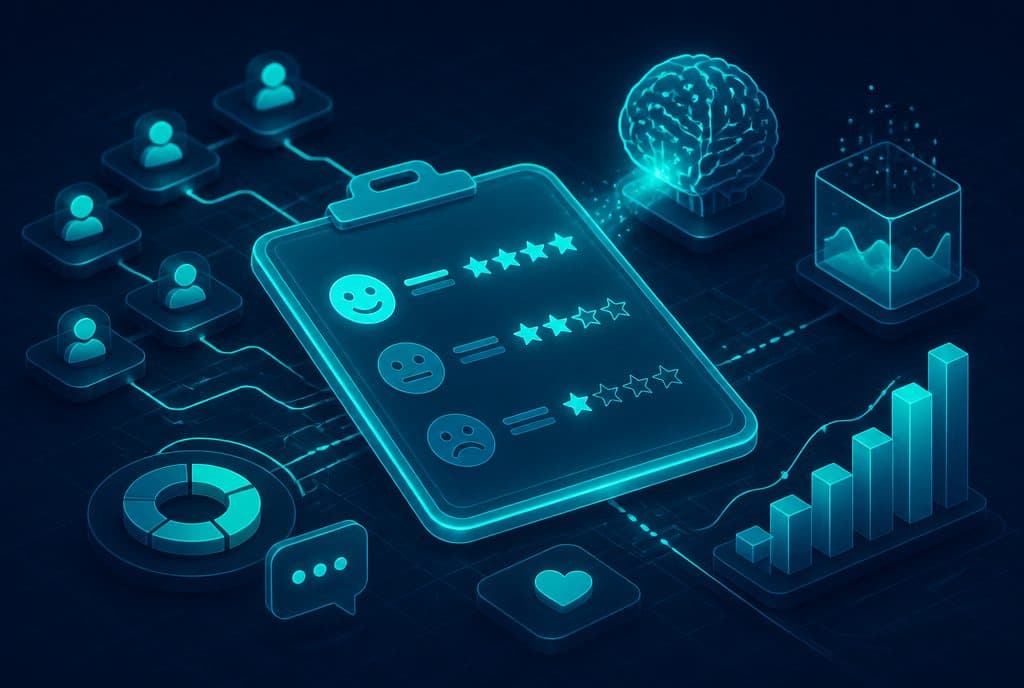
Feedback survey automation is a system that dispatches a survey to the customer at the right point in time (after a purchase, service, or meeting), collects the responses, analyzes them using AI, flags issues, and routes complaints to the right person—without manual labor. This is not a mailing list that someone sends out once a quarter; it is a continuous feedback loop that runs on autopilot and provides an up-to-date picture of the customer experience at any given moment.
Why Most Manual Surveys Fail
Many businesses send a manual survey once every few months, receive low response rates, and fail to systematically address the feedback of those who actually did respond. Common issues include:
- Poor timing—The survey arrives weeks after the experience, when the customer no longer remembers the details.
- Survey fatigue—20 questions with rating scales lead to abandonment midway through.
- No response to complaints—A customer who reported a problem and received no follow-up feels ignored.
- Unanalyzed data—The file is saved, but no one looks for patterns in it.
An automated system solves all of these: one question at the right time, immediate analysis, and automatic routing.
Key Capabilities of an Automated Feedback System
| Capability | What It Means in Practice |
|---|---|
| Automatic Sending | A survey is triggered the moment a defined action occurs (ticket closed, service completed, delivery arrived). |
| Multiple Channels | WhatsApp, SMS, email—according to the customer's preference. |
| AI for Response Analysis | Identifies sentiment (positive/negative/neutral) and flags recurring topics. |
| Complaint Routing | Negative response → alert to the manager + task in the CRM for handling. |
| Dashboard | An up-to-date view of NPS and customer satisfaction without Excel work. |
| Closed-Loop Feedback | A customer who reported a problem receives an update after it has been resolved. |
How It Works in Practice
The system is built on four steps that run automatically:
Step 1—Trigger. When a defined business action occurs (for example: updating a status to "Service Completed" in the CRM, changing an order status to "Delivered", or closing a chat)—n8n detects the trigger and starts the workflow.
Step 2—Sending the Survey. Following the trigger, a single message with a short question (NPS, rating from 1 to 5, or a brief open-ended question) is sent to the customer. A short WhatsApp message gets a much higher response rate than a long form.
Step 3—Analysis. When a response arrives, an AI model analyzes the content: it identifies whether the sentiment is positive, negative, or neutral, flags recurring topics (price, waiting time, a specific representative), and updates the dashboard.
Step 4—Routing and Handling. A low rating or a negative response triggers an alert: a notification to the manager, a task in the CRM, and sometimes an automated message to the customer confirming that their feedback was received and care is on the way.
How to Get Started—Four Steps
1. Map out critical touchpoints. Which events in your process are the moments when the customer feels something? Completion of service, receiving a product, finishing a project? Choose one or two to start with—not five all at once.
2. Shorten the survey to one question. "How likely are you to recommend us from 1 to 10?" is enough to start. An optional open-ended question ("What can we improve?") adds value without overwhelming the customer.
3. Connect to existing systems. n8n connects to your CRM, WhatsApp Business API, and management systems. Data flows directly and does not need to be manually moved between systems.
4. Define a routing rule for complaints. What happens when someone gives a score of 1-3? Who gets the alert, within what timeframe, and what automated text goes back to the customer. This rule is the difference between a system that just collects data and a system that actually improves service.
Want to see how an automated feedback system works with your existing systems? Contact us and we will map out the key points to cover together.
What You Need to Know About Privacy Protection Regulations
When sending surveys to customers, Israeli privacy protection laws require you to ensure that you have consent to contact them through that channel. In practice:
- Sending to people who have purchased from you in the past—usually covered by the consent given at the time of purchase.
- Sending to a new mailing list—requires explicit consent before sending the first survey.
- All collected data must be stored securely.
- A customer who requests not to be contacted again must be removed immediately.
A properly built feedback system manages all of these points automatically: updating lists, managing consents, and documentation.
Integration with Customer Service and Sales
The feedback coming from surveys is useful far beyond just improving satisfaction. Businesses that integrate it with customer service and sales see additional value:
- A customer who gave a high NPS—A great candidate for requesting a Google review, sharing a testimonial, or a refer-a-friend offer.
- A customer who complained and had their issue resolved—Often becomes an exceptionally loyal customer.
- Recurring patterns in responses—Allow you to improve processes before the issue turns into public complaints.
Connection to Reviews and Reputation Automation
A feedback system and a review system are two arms of the same strategy: knowing what customers think before they write publicly, addressing issues before they damage your reputation, and directing satisfied customers to write positive reviews on Google. Setting up both systems together—with a single business automation—saves development time and maximizes results.
Summary
A manual feedback system sent once a quarter does not provide a true picture of the customer experience. An automated system that responds to events in real time, analyzes with AI, and routes complaints does. The investment in building it is one-time; the data keeps coming in. For a small or medium-sized Israeli business that wants to hear its customers and act on what they say—this is one of the automated solutions with the clearest return on investment.
Want to build a feedback system that actually works? Contact us for an initial, no-obligation consultation—together we will understand the critical points in your process and what to cover first.