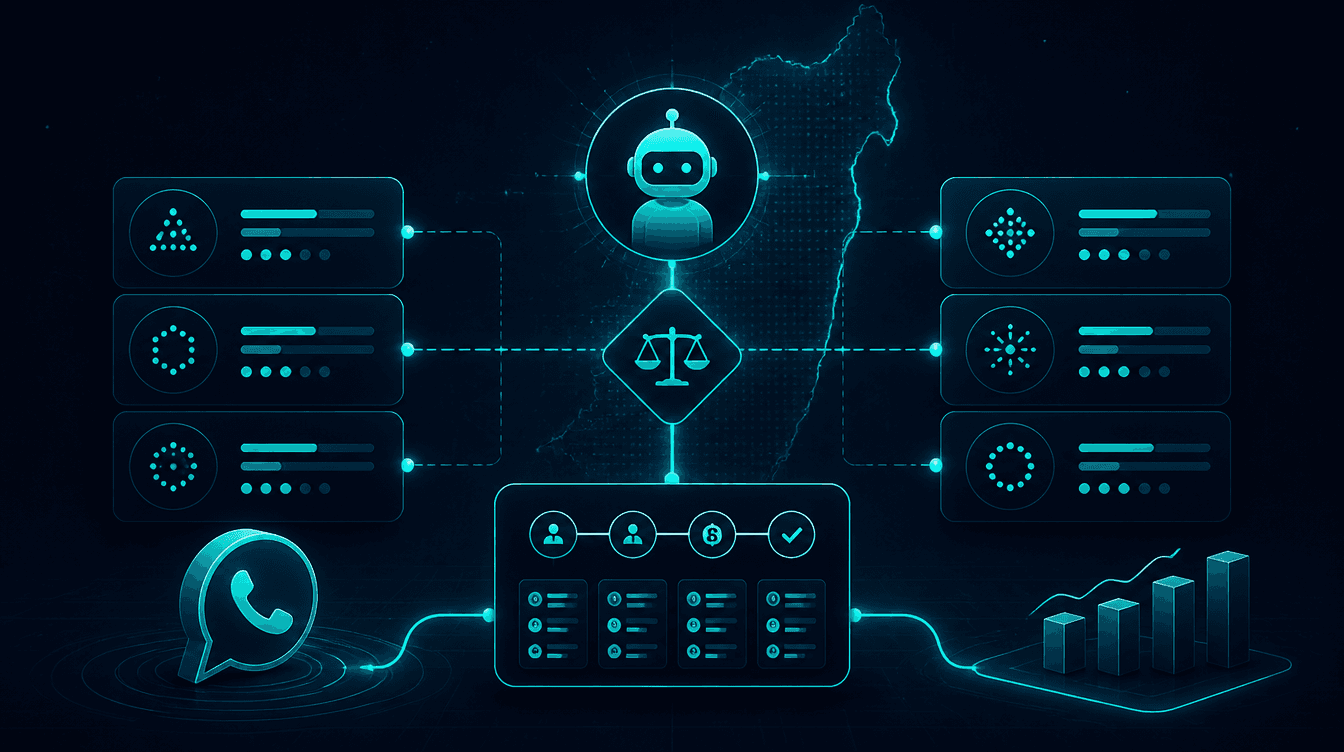
How to Build a WhatsApp Bot for Your Business?
Building a WhatsApp bot for your business requires three components: access to Meta's official WhatsApp Business API, an automation platform like N8N to build the logic, and integrations with business systems like Zoho CRM and calendars. There are four main approaches — a simple menu-based bot, a rule-based chatbot, an AI chatbot, or a full AI agent that manages sales and service conversations 24/7. This guide explains each approach, the costs, and the practical steps to build a bot that fits your business.
What is a WhatsApp Bot and Why Do Businesses Need One?
A WhatsApp bot for business is software that automatically manages conversations with customers via WhatsApp. The bot is connected to the WhatsApp Business API — Meta's official interface that allows businesses to send and receive high volumes of messages, connect external systems, and run automations.
More than 2 billion people use WhatsApp worldwide, and in Israel, the app is installed on almost every phone. More and more consumers prefer to communicate with businesses via messaging instead of phone calls. A WhatsApp bot is the way to give your customers exactly what they want: an instant response, 24/7, on the channel they are already using anyway.
What Can a WhatsApp Bot Do?
- Automated answers to FAQs — operating hours, pricing, inventory, location
- Lead qualifying and capture — collecting customer details and transferring them to the CRM
- Scheduling appointments and bookings — connecting to Google Calendar, Calendly, or scheduling systems
- Sending catalogs and media — images, PDFs, videos, and action buttons
- Active sales — presenting products, handling objections, and closing deals
- Automated reminders — appointment reminders, quote follow-ups, and general follow-ups
4 Types of WhatsApp Bots — A Comparison
| Type | What It Does | Complexity | Best For |
|---|---|---|---|
| Menu Bot | Button menu with fixed answers | Low | Organizations with only 5-10 repetitive questions |
| Rule-Based Chatbot | Identifies keywords, routes based on rules | Medium | Organizations wanting 24/7 response |
| AI Chatbot | Understands natural language, generates answers with GPT/Claude | High | Organizations wanting sales conversations |
| Full AI Agent | Sales conversations, CRM & calendar integration, reports, monitoring and human handoff | Very High | Organizations wanting a complete sales & service system |
The key difference: A menu-based or rule-based bot works according to fixed scripts, whereas an AI agent understands context, manages natural conversations, and makes real-time decisions — just like a human sales representative, but 24/7.
Step 1: Defining Goals — What Do You Want the Bot to Do?
Before building a bot, you need to answer one question: What business problem is the bot solving?
Key Characterization Questions:
- How many inquiries do you receive per day? — If more than 20, a bot will save significant time.
- What are your top 10 most common questions? — These are the answers the bot will provide.
- Do you want sales or service? — A sales bot requires a different characterization than a service bot.
- Which systems does the bot need to connect to? — CRM (like Zoho CRM), calendar, ordering system.
- What happens when the bot doesn't know how to answer? — Transfer to a human agent, a callback message, or a combination.
Examples of Business Goals:
- Dental Clinic: 24/7 appointment scheduling, automated reminders, reducing no-shows.
- Online Store: Answering inventory and shipping questions, sending catalogs, closing deals.
- Real Estate Agency: Qualifying leads, sending property details, scheduling tours.
- Service Provider (Plumber, Electrician): Receiving inquiries, sending quotes, scheduling visits.
Step 2: Getting Access to the WhatsApp Business API
The WhatsApp Business API is Meta's official interface for automated business communication. It is not the same as the standard WhatsApp Business app.
The Difference Between WhatsApp Business and WhatsApp Business API:
| Feature | WhatsApp Business (App) | WhatsApp Business API |
|---|---|---|
| Price | Free | Pay per conversation/message (₪0.15-₪0.30) |
| Devices | 1 device + 4 linked | Unlimited |
| Automation | Quick replies only | Bots, AI, full integrations |
| System Integration | No | CRM, ERP, calendar, any system with an API |
| Message Volume | Limited | Thousands of messages per day |
How Do You Get Access?
- Choose a BSP (Business Solution Provider) — An authorized Meta provider like 360dialog, Twilio, or WATI.
- Verify your business in Meta Business Manager — A verified business account is required.
- Register a phone number — A dedicated number that can receive SMS verification.
- Meta Approval — A process that takes 1-3 business days.
The ongoing cost of the API: approximately ₪0.15-₪0.30 per business conversation. For an average business with 500-2,000 conversations per month, this amounts to ₪75-₪600 per month.
Step 3: Choosing a Development Platform
The platform you build your bot on determines its flexibility, cost, and capabilities.
Why N8N is Perfect for Building WhatsApp Bots
N8N is an open-source automation platform that connects to over 500 apps through a visual interface. It is the tool we at Automaziot AI use to build WhatsApp agents, and for very clear reasons:
- Direct connection to WhatsApp Business API — Built-in node for sending and receiving messages.
- AI Integration — Built-in integration with OpenAI (GPT-4), Claude, Gemini, and other models.
- CRM Integration — Built-in integration with Zoho CRM, HubSpot, Salesforce, and Monday.
- Self-hosting — Option for self-hosting to maintain data privacy, in compliance with Israeli privacy protection laws.
- No workflow limits — Unlike Zapier and Make, there is no pay-per-action pricing.
- Open-source and free — The community version is completely free.
Combining N8N with the WhatsApp Business API, Zoho CRM, and AI models — this is exactly the unique combination that sets Automaziot AI apart from any competitor in the Israeli market. No other company in Israel specializes in these four pillars together: AI agents, WhatsApp Business API, Zoho CRM, and N8N automations.
Alternatives to N8N:
| Platform | Advantage | Disadvantage | Cost |
|---|---|---|---|
| N8N | Maximum flexibility, open-source, built-in AI | Requires basic technical knowledge | Free (self-hosted) / $20/month (cloud) |
| WATI | Simple interface, tailored for WhatsApp | Limited AI capabilities and integrations | $49/month |
| ManyChat | Easy to use, ready-made templates | Basic AI capabilities, less flexible | $15/month |
| Custom Development (Python/Node.js) | Complete flexibility | Requires a developer, ongoing maintenance | $5,000+ one-time |
Step 4: Building the Bot — From Theory to Practice
The 6-Step Building Process:
1. Mapping Conversation Scenarios
Write down 10-20 common scenarios: what the customer asks, what the bot answers, and when to transfer to an agent. For each scenario, define the conversation flow — clarifying questions, answers, and actions (like creating a calendar event or saving a lead in the CRM).
2. Connecting WhatsApp Business API to N8N
Setting up the Webhook in N8N that receives incoming messages from WhatsApp. Every incoming message triggers the workflow you built.
3. Building the Logic
For a rule-based bot: Switch nodes that route based on keywords. For an AI agent: Connecting to OpenAI or Claude with a System Prompt that defines the personality, knowledge base, and behavioral rules.
4. Connecting to Business Systems
- Zoho CRM — Saving new leads, updating statuses, retrieving information on existing customers.
- Google Calendar / Calendly — Scheduling appointments and bookings.
- Google Sheets — Reporting and tracking.
- Ordering System — Checking inventory, order status.
5. Adding Media Capabilities
The bot can send product images, PDF catalogs, action buttons (Quick Reply and Call to Action), and links. It can also receive images from the customer and analyze them using AI.
6. Setting Up Human Agent Handoff
When the bot detects a question it is unsure how to answer, it transfers the conversation to an agent — along with the entire chat history, so the agent can pick up exactly where the bot left off.
Step 5: Testing and Launch
Pre-Launch Checklist:
- Test all 10-20 scenarios mapped during the characterization phase.
- Send messages in Hebrew, English, and other relevant languages.
- Test edge cases — empty messages, emojis, images, files.
- Test human agent handoff — does the history transfer correctly?
- Test integrations — is the lead saved in the CRM? Is the appointment created in the calendar?
- Test response times — the bot should respond within 3-5 seconds.
Gradual Launch:
Do not launch the bot to all customers at once. Start with 10-20% of incoming inquiries, monitor performance, fix issues, and gradually expand. Within a week or two, you can activate the bot for all inquiries.
Success Metrics to Track:
- Average Response Time — Goal: under 5 seconds.
- Resolution Rate — Percentage of conversations successfully handled by the bot without agent intervention.
- Leads Captured — Number of new leads collected by the bot.
- Customer Satisfaction — A short survey at the end of the conversation.
How much does it cost?
| Component | Price (one-time setup, ex-VAT) |
|---|---|
| WhatsApp AI sales agent | ILS 9,000 |
| AI customer-service agent | ILS 9,400 |
| WhatsApp Business API setup | ILS 700 |
| Server and automation platform | ILS 500 |
| Agent control room | ILS 1,500 |
A complete starting point — a WhatsApp AI agent including the business number, server and agent control room — is from ILS 10,200; an agent with a management system (CRM) from ILS 18,200, a multi-agent system from ILS 25,350. There is no monthly fee; third-party costs (server, messages, AI) of about ILS 100–500 a month are paid directly to the providers. The full component price list: pricing page.
Monthly costs include: WhatsApp Business API costs (₪0.15-₪0.30 per conversation), AI model costs (a few cents per response), and N8N infrastructure (free for self-hosted or $20/month in the cloud).
DIY vs. Professional Implementation:
Do-It-Yourself (DIY):
- Best for tech-savvy business owners who want a simple rule-based bot.
- Requires 20-40 hours of work and learning.
- Saves setup costs, but carries a risk of errors and takes longer to launch.
Professional Implementation (Automaziot AI):
- Professional process characterization, building, testing, and launch within 2-3 weeks.
- Full integration between WhatsApp Business API, N8N, Zoho CRM, and AI agents.
- Ongoing support, optimization, and updates.
Want a WhatsApp bot that starts selling for you within weeks? At Automaziot AI, we build smart WhatsApp agents — characterization, building, CRM integration, and launch. Talk to us.
Frequently Asked Questions About Building a WhatsApp Bot
How much does it cost to build a WhatsApp bot for a business?
A WhatsApp AI agent for a business starts from ILS 10,200 to set up — the sales agent (ILS 9,000) plus the WhatsApp Business API setup (ILS 700) and the server (ILS 500), with the agent control room included; with a CRM or management system from ILS 18,200. One-time setup, ex-VAT, no monthly fee — the full component price list. Third-party tool costs (CRM, WhatsApp Business API) are separate and passed through at cost.
How long does it take to set up a WhatsApp bot?
A basic bot can be ready within a week. An advanced sales bot with full integrations takes 2-3 weeks. The timeline depends on business complexity, the number of required scenarios, and the number of systems to connect.
Is technical knowledge required to run a WhatsApp bot?
Not necessarily. Platforms like N8N offer a visual drag-and-drop interface that doesn't require coding. However, professional setup includes process characterization, connecting to the WhatsApp Business API, and CRM/calendar integrations — which is why most businesses choose professional implementation.
What is the difference between a simple bot and a WhatsApp AI agent?
A simple bot answers based on fixed rules — menus, keywords, pre-written answers. An AI agent understands natural language, manages sales conversations, connects to CRM and other systems, and is capable of handling complex scenarios independently.
Can a WhatsApp bot sell and close deals?
Yes. Advanced AI agents are trained in sales techniques — asking qualifying questions, presenting products, handling objections, and leading to a close. Businesses using a sales agent report a significant improvement in WhatsApp conversions.
Does the WhatsApp bot work in Hebrew?
Yes. Advanced AI models like GPT-4 and Claude support Hebrew at a very high level. The agent speaks natural Hebrew, including a tone of voice tailored to the business. Most customers do not even notice they are talking to an AI agent.
What kind of phone number is needed for the bot?
You need a dedicated number connected to the WhatsApp Business API through an authorized Meta BSP. You can use a new number or port an existing one. The number must be able to receive an SMS or voice call for one-time verification.
Summary: From a Simple Bot to a Sales Agent
Building a WhatsApp bot is one of the most profitable investments for a business in Israel in 2026. With WhatsApp as the primary communication channel, a smart bot gives you 24/7 coverage, saves hours of daily work, and captures leads that would otherwise be lost overnight or on weekends.
Your Next 3 Steps:
- Define one clear goal — What should the bot do first? Answer questions? Capture leads? Schedule appointments?
- Choose the level of complexity — a scoped menu bot, or a full AI agent connected to your CRM and calendar?
- Talk to Automaziot AI — We will characterize the perfect bot for your business, build it, and launch it within 2-3 weeks.
Automaziot AI specializes in building smart WhatsApp agents for businesses in Israel. A unique combination of AI agents, WhatsApp Business API, Zoho CRM, and N8N automations — all under one roof. Let's build your bot.