A WhatsApp bot for a print shop or signage company receives technical details from the customer (size, quantity, material, design file), sends a price quote, manages the proof approval process, and updates on production status — all within WhatsApp, without the team having to handle every inquiry manually. At Automaziot AI, we specialize in building WhatsApp bots for Israeli businesses in the service and manufacturing sectors.
The average print shop receives dozens of inquiries a day: "How much does it cost?" — "Do you have lamination?" — "When is it ready?" — "I sent a file, did you see it?". Every inquiry requires someone to answer, ask about the format, check stock, and create a price quote. As a business grows, the team spends a significant portion of the day managing communication — not on production. Automation does not replace the team; it takes the routing work off their hands, leaving them with the high-value work.
How Automation Helps a Print Shop
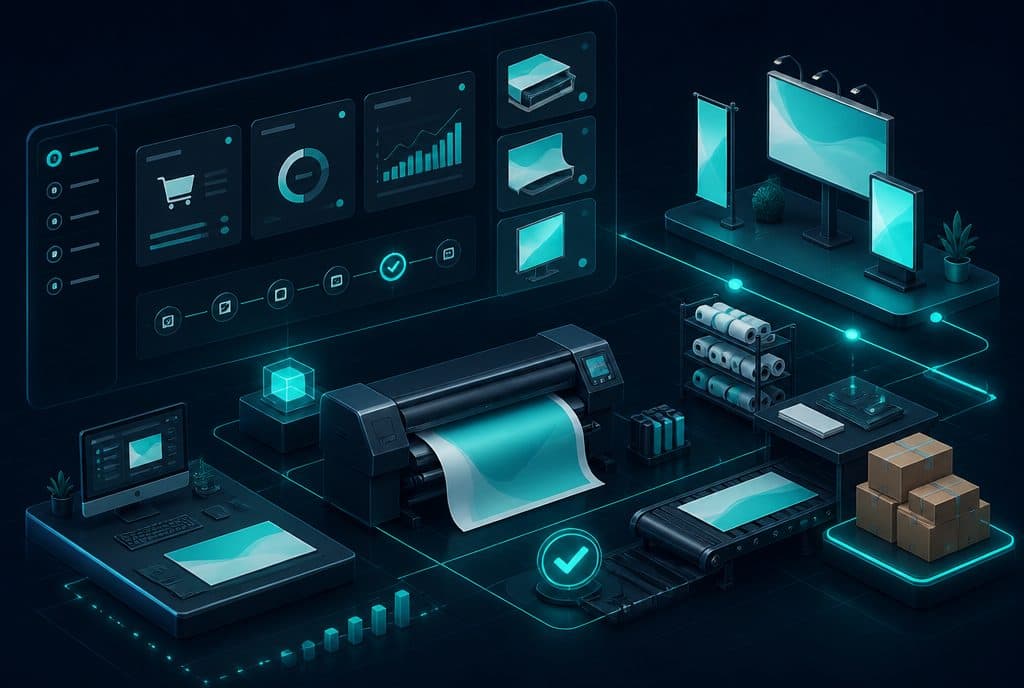
A WhatsApp bot for a print shop collects a full job specification from the customer (size, material, quantity, file), generates a price quote, manages a digital proof approval process, and sends automatic status updates — so the technical team only receives jobs that are approved and ready for production, without wasting time on communication that can be managed automatically.
What the Bot Actually Does — Throughout the Workflow
Step 1: Receiving the Inquiry and Collecting Specifications
A customer writes on WhatsApp: "I need 200 business cards." The bot responds immediately, asking structured questions: Size? Glossy or matte lamination? Double-sided? Ready-made file or do you need design? Every answer is saved and updated in the inquiry. Once all required fields are filled — the inquiry is automatically transferred to the team with a full specification.
If the customer sends a PDF file — the bot confirms receipt, saves the file, and notifies the team that there is a file for technical review. If the file is invalid (low resolution, incorrect color profile) — the team notifies the customer with a specific message, even if a few hours have passed.
Step 2: Automatic Price Quote
Based on the collected specifications, the bot can calculate a price quote and send it — if the print shop defines a fixed price list. For more complex jobs (special prints, large signage, unusual materials), the bot collects the specifications and forwards them to a representative who prices it manually and returns a quick answer. In any case — the customer receives confirmation that the inquiry has been received and when an answer will arrive. No silence.
Step 3: Digital Proof Approval
After the design is ready, the bot sends the proof file to the customer on WhatsApp with a request for approval. The customer replies "approved" — and there is a documented record with a timestamp. If the customer requests changes — they write what is needed, the comments are passed to the design team, and after correction, a new proof is sent automatically.
This eliminates a common risk: a customer saying later "I didn't approve it." Everything is written, documented, and associated with the inquiry.
Step 4: Production Status Updates
Once the job is approved and moves to production, the bot can send updates at key stages: "Your job has entered production," "The job is ready — it can be picked up on Wednesday." These are messages that the customer receives automatically — without anyone having to remember to send them.
When there is an unexpected delay (machine malfunction, material that didn't arrive), the team updates the status in the system — and the customer receives a proactive notification. No waiting in frustrating silence.
Step 5: Repeat Orders
A customer who ordered business cards in 2025 and wants to reorder in 2026 — the bot can offer them to "reorder with the same specifications" and approve with a single click. No need to collect all the details again. This saves time for both the customer and the team, increasing the likelihood of a repeat order.
Capabilities Table
| Scenario | What the Bot Does | What is Left for the Team |
|---|---|---|
| New Inquiry | Asks spec questions, collects file | Technical file check, complex pricing |
| Fixed Price List Quote | Calculates and sends automatically | — |
| Special Price Quote | Collects specs, forwards to representative | Pricing + response |
| Proof Approval | Sends file, receives approval, documents | Design changes |
| Status Updates | Sends automatically during production stages | Updating status in the system |
| Delay / Schedule Change | Sends proactive notification | Decision on delay |
| Repeat Order | Offers saved specs, confirms | — |
| FAQs (hours, prices, materials) | Answers immediately 24/7 | — |
Specific Scenarios for the Signage Industry
Signage companies work under a slightly different dynamic than print shops: larger jobs, usually business clients, and often requiring on-site measurement before a price quote. The bot can manage these scenarios as well:
On-site Measurement Request: A customer inquires about a new sign for a store. The bot receives the details, asks about estimated size, location, and preferred material — and schedules a measurement visit in coordination with the field team. The customer receives an automatic appointment confirmation.
Signage Campaign Update for a Chain: A retail chain that needs to update signs in 20 branches sends a single request. The bot can coordinate, track each branch separately, and generate an updated summary.
Seasonal Orders: Before the Passover or holiday season, the bot can send a proactive reminder to existing customers who usually order during this period — with an offer to order early before the production rush.
Protecting Customer Privacy
Every bot we build complies with the requirements of the Israeli Privacy Protection Law. Information sent by customers — including design files and business details — is saved securely and used only to process the order. The print shop owns the data; the bot is the tool that collects and routes it.
How to Get Started
Step 1 — Scenario Characterization: We define together which types of inquiries are most common and where the team spends the most time on repetitive communication.
Step 2 — Mapping Specifications: For each product type (business card, flyer, banner, sign) — a list of required fields and filtering questions. This is the foundation upon which the bot is built.
Step 3 — Defining Handover Rules to a Representative: What the bot handles on its own, and what is transferred to the team. Special jobs, VIP clients, complaints — remain with the team.
Step 4 — Controlled Launch: We start with one type of job — for example, business cards and flyers only. We see how the bot behaves, fine-tune it, and expand to additional job types.
Step 5 — Integration with Existing Systems: If the print shop works with production management software, a worksheet, or an accounting system — we build an automatic connection that transfers data between the bot and the existing systems.
Questions to Ask Before Getting Started
Before deciding on an automation solution, it is worth knowing the answers to the following questions: How many new inquiries arrive per day on average? How long does it take to handle an inquiry from receipt to proof approval? What percentage of inquiries drop off because there is no quick response? Are there customers who return and reorder, and how is their history managed? The answers to these questions dictate where it is best to start.
How much does it cost?
| Component | Price (one-time setup, ex-VAT) |
|---|---|
| WhatsApp AI sales agent | ILS 9,000 |
| Automatic quoting engine | ILS 6,500 |
| Calendar link and meeting booking | ILS 2,000 |
| Automatic follow-up sequence | ILS 2,500 |
| WhatsApp Business API setup | ILS 700 |
A complete starting point — a WhatsApp AI agent including the business number, server and agent control room — is from ILS 10,200; an agent with a management system (CRM) from ILS 18,200, a multi-agent system from ILS 25,350. There is no monthly fee; third-party costs (server, messages, AI) of about ILS 100–500 a month are paid directly to the providers. The full component price list: pricing page.
Summary
A print shop or signage company that adds a WhatsApp bot to their process is no less "human" — they simply stop to collect missing specs, send reminders, and search for files. The team is freed up for the technical work they are actually good at. Customers receive quick responses and status updates that cut down on unnecessary phone calls.
If you are in printing, signage, wrapping, promotional products, or any order-based manufacturing, it makes sense to check which stages of your workflow can be streamlined — and at what stage it is worth starting.
Want to understand where automation will help your print shop the most? Send us an inquiry on WhatsApp or schedule a consultation call — we will build a practical direction together with no upfront commitment.
Related Articles: