Automated Appointment Reminders — What Are They Exactly?
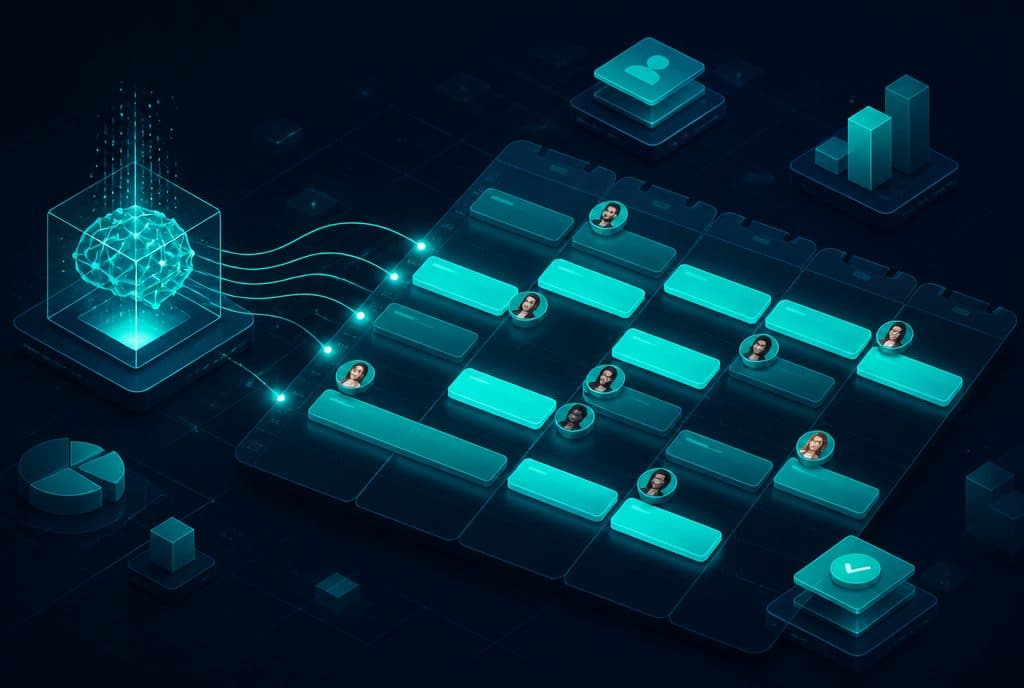
Automated appointment reminders are a system that sends a follow-up message to the client before the scheduled time—via WhatsApp, SMS, or email—without anyone in the business needing to remember or send it manually. The system connects to your calendar, detects every new appointment, and sends a reminder at your defined timing (for example, a day before and two hours before). The client can confirm, cancel, or request to reschedule—and the calendar updates accordingly. The result: fewer no-shows, fewer dead hours, and less manual work for the receptionist.
Why Do No-Shows Cost You So Much?
Every appointment a client misses is a time slot that can no longer be resold. In service businesses—clinics, salons, consultants, and coaches—a last-minute cancellation, or simply a "forgotten" appointment, directly hurts revenue.
Common causes of no-shows:
- Simple forgetfulness — the client booked two weeks ago and simply forgot.
- No convenient way to cancel in advance — if canceling requires a phone call during business hours, the client simply doesn't show up.
- Manual reminders that don't happen — the receptionist is busy, and on hectic days, no one gets around to sending them.
- The wrong channel — an email that gets lost in the inbox, while the client lives on WhatsApp.
Automated appointment reminders solve all of these issues without adding workload to your team.
How an Automated Reminder System Works
1. Calendar Integration
The system connects to your existing calendar (Google Calendar, CRM calendar, or scheduling system). Every new appointment entered into the calendar is automatically detected.
2. Reminder Timing
You define when to send. A common starting point:
- First reminder — one day before the appointment.
- Second reminder — 2-3 hours before the scheduled time.
3. Sending via the Right Channel
The message is sent through the channel the client actually reads—usually WhatsApp. The message includes the client's name, date, time, and address, and sometimes "Confirm/Cancel" buttons.
4. Handling the Response
If the client requests to cancel or reschedule, the system updates the calendar and can offer an alternative time slot—without a phone call. This frees up the slot early enough to fill it with another client.
All of this is part of the automated appointment reminders we build as an end-to-end process, connected to your calendar and communication channels.
Manual vs. Automated — A Comparison
| Aspect | Manual Reminders | Automated Reminders |
|---|---|---|
| Who sends it | Receptionist / Business owner | The system, 24/7 |
| Consistency | Depends on daily workload | Every appointment, without exception |
| Timing | "When there's time" | Precise, one day before and two hours before |
| Channel | Usually phone | WhatsApp / SMS / Email |
| Cancellation handling | Phone call | One-click confirm/cancel, automatic calendar update |
| Team workload | High | Zero |
Which Channels Should You Use to Send Reminders?
- WhatsApp — The highest open rate and the channel most clients in Israel use daily. Suitable for most businesses.
- SMS — Reliable and works even without an app installed, good as a backup or for an older audience.
- Email — Suitable for business meetings with accompanying details (files, video links, preparation instructions).
In most cases, combining WhatsApp as the primary channel with SMS as a backup provides the best coverage. You can integrate an AI WhatsApp agent that also answers client questions about the appointment.
Who Is It For?
Automated appointment reminders are suitable for almost any business that operates based on a calendar:
- Clinics and medical practices — Dental, physiotherapy, aesthetics, alternative medicine.
- Salons and beauty parlors — Where every empty chair is a direct loss.
- Consultants and coaches — Valuable consulting hours that shouldn't be wasted.
- Service professionals — Garages, technicians, home service providers.
In each of these cases, an automated scheduling and booking system integrated with reminders saves hours of work and reduces empty slots in your calendar.
Example: A Day in the Life of a Clinic with Automated Reminders
A client books an appointment through a form on the website. The appointment immediately enters the calendar. One day before the scheduled time, she receives a WhatsApp message with the date, time, and address, and two buttons: "Confirm" and "Need to Reschedule". She clicks "Need to Reschedule", the system offers her three available slots, she chooses one—and the calendar updates on its own. Two hours before the new time, she receives a final reminder. The receptionist didn't touch a thing, and the original slot was freed up early enough to schedule another client.
Data and Privacy
Reminders are based on client details already provided to you for scheduling the appointment. It is important to protect this data in accordance with the Israeli Privacy Protection Law: collect only what is necessary, send only to those who provided their details for this purpose, and allow the client to opt out. An organized system saves the history in the calendar and CRM, providing a full record of what was sent and when.
Frequently Asked Questions
What is the difference between a reminder and an attendance confirmation?
A reminder is a message that reminds the client about the appointment. Attendance confirmation is an additional step where the client clicks "Confirm" or "Cancel", and the system updates the calendar accordingly. The combination of both yields the most significant reduction in no-shows.
Can the client cancel or reschedule through the reminder?
Yes. When the system is configured correctly, the client can reply to the message or click a button, and the system updates the calendar and offers an alternative time slot—without a phone call.
Which channel is best for sending reminders?
For most businesses in Israel, WhatsApp provides the highest open rate. SMS serves as a good backup, and email is suitable for business meetings with accompanying materials.
How long does it take to implement such a system?
A basic system connected to your calendar and WhatsApp typically goes live within a few days. Adding attendance confirmation, offering alternative slots, and CRM integration requires additional scoping time, but it is still a short project.
Summary
No-shows are a silent but daily loss, and most of them are completely preventable with a single message at the right time. Automated appointment reminders ensure that every client receives consistent follow-up, can easily confirm or reschedule, and your calendar remains full—without anyone on your team needing to track it manually.
Want a system that reduces no-shows and frees your team from manual work? Let's build automated appointment reminders for you that integrate with your calendar and the channels you already use.
Last updated: May 2026